Managing Profiles
Profiles are managed (customization, creation) in the Hopex Studio desktop with the Hopex Customizer profile (with Hopex Power Studio technical module).
 See Profiles.
Viewing Profile Characteristics
The full characteristics of a profile are accessible for profile customization purpose only (Hopex Studio desktop, Hopex Customizer profile).For a complete description of profiles, see Hopex Studio > Profile Properties documentation.
To view the main characteristics of a profile:
1. Access the Profiles pages.
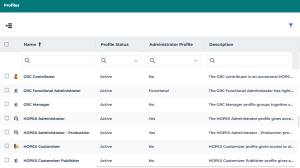
2. In the profile list, click the profile name.
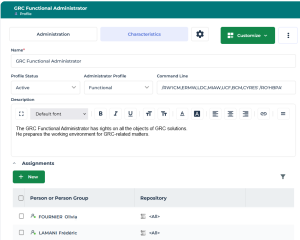
The profile Properties window displays its main Characteristics:
• its Status
• its Command Line
• its Description
• the persons and person groups to whom it is assigned (Assignments section)