Introduction to Options
Option Overview
In Hopex, options can be configured at the following levels:
• environment
• profile (restricted to Hopex Customizer profile)
• user
 Site level options can be modified in the Administration (Windows Front-End) application.
Option levels are governed by an inheritance mechanism.
See Option Inheritance.Customizations made at the user level are of highest priority, followed in order of priority by those made at the profile and the environment levels.
 Having modified option values, it is recommended that you dispatch or save your work, close Hopex and then reopen it. Refresh issues can occur if these precautions are not taken.
Options Window Description
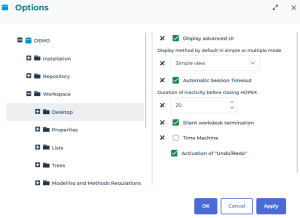
The left pane contains the option tree classified by group.
See Option Groups.The right pane enables configuration of the options corresponding to the group selected in the left pane.
Options vary depending on your available products.
For more details on an option:
 Hold the mouse over the option to display context-sensitive help.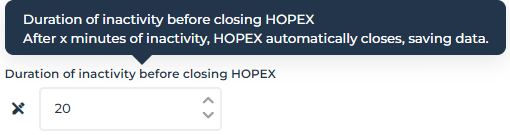
When the user has a private workspace in progress, you cannot modify his/her options from the Administration desktop.