The associations (Merise)
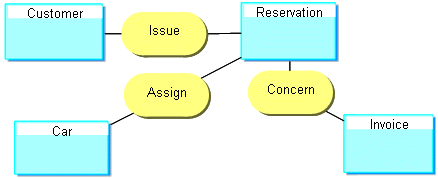
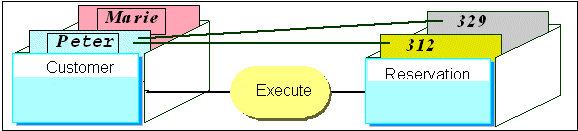
An association is a meaningful link between two objects. Associations are used to capture data about the relationship between two objects.
Examples of associations

Reflexive relationships
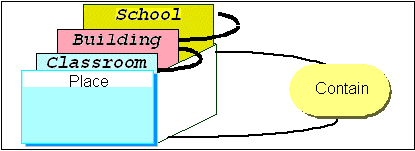
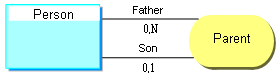
Certain associations use the same entity.
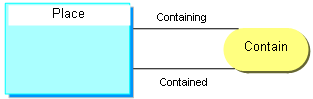
Example
"n-ary" relationships
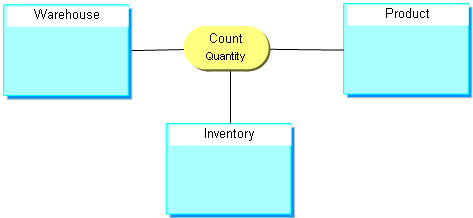
Certain associations associate more than two entities.
These associations are generally rare.
Example
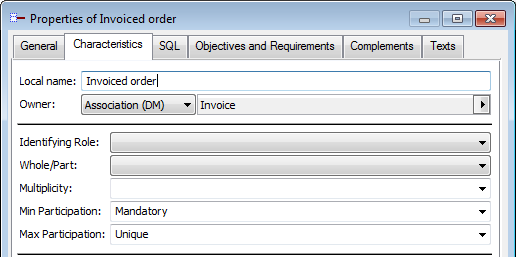
Participations or cardinalities
Minimum and maximum cardinalities express the minimum and maximum number of participations of an instance of the entity in an association.
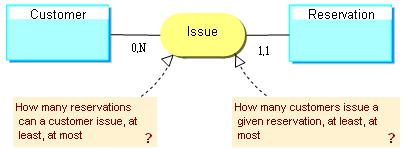
The most common participations or cardinalities are 0,1 1,1 0,N 1,N.
• Optional cardinality: minimum cardinality 0 indicates that the association is not necessarily specified.
• Mandatory participation Minimum cardinality 1 indicates that the association is necessarily specified.
• Unique participation : Maximum cardinality 1 indicates that the entity can be linked by the association once only at most.
• Not unique participation : Maximum cardinality N indicates that the entity can be linked by the association several times.
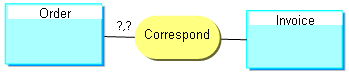
Example
Creating an Association (Relationship)
To create an association:
1. Click the Association button  in the objects toolbar.
in the objects toolbar.2. Click one of the entities concerned and drag the mouse to the other entity before releasing the button.
The Add Association dialog box appears.
The arrow at the right of the Name box opens a menu that allows you to:
• Query of existing associations, via the Query dialog box.
• List associations in the repository.
• Create an association.
3. Enter the name of the association, then click Create (Windows Front-End) or Add(Web Front-End)
The association appears in the diagram.

 In case of error, you can delete an object by right-clicking it and selecting the Delete command in its pop-up menu.
 Reflexive relationships
Specifying participations