Managing Your Alerts on Object Modification
To follow the modifications carried out on an object, you must follow this object.
When you follow an object, this alert also includes the modifications to all its component objects.
Accessing alert management
To access management of your alerts on objects:
1. Connect to your Hopex desktop.
2. In the Hopex toolbar, click Main Menu and select Settings > Alerts Management.
The Alerts management window opens.
3. You can:
• view all the alerts you have subscribed to (My Subscriptions page)
• stop receiving automatic alerts on the review notes that concern me
• configure the management of your alerts
• view your Notification type alerts
• cancel your subscription to an alert
Configuring management of your alerts
You can receive information by notification or e-mail on modifications to the objects you are following.
You can define the reception of your notifications:
• notification receipt frequency:
• none
• daily summary
• daily summary with choice of day and time (UTC)
• content of notifications:
• with or without details
You can define the receipt of your emails:
• e-mail receipt frequency:
• none
• daily summary
• daily summary with choice of day and time (UTC)
• content of e-mails:
• with or without details
• format of e-mails:
• plain text
• HTML
To configure management of your alerts:
1. Access your alert management dialog box.
2. In the drop-down menu, select Alerts Settings.
3. In the Notification section, select the receipt frequency and notification content.
When a user dispatches modifications on an object you are following, you receive a notification according to your configuration.
4. In the Email section, select the receipt frequency, the content and format of emails.
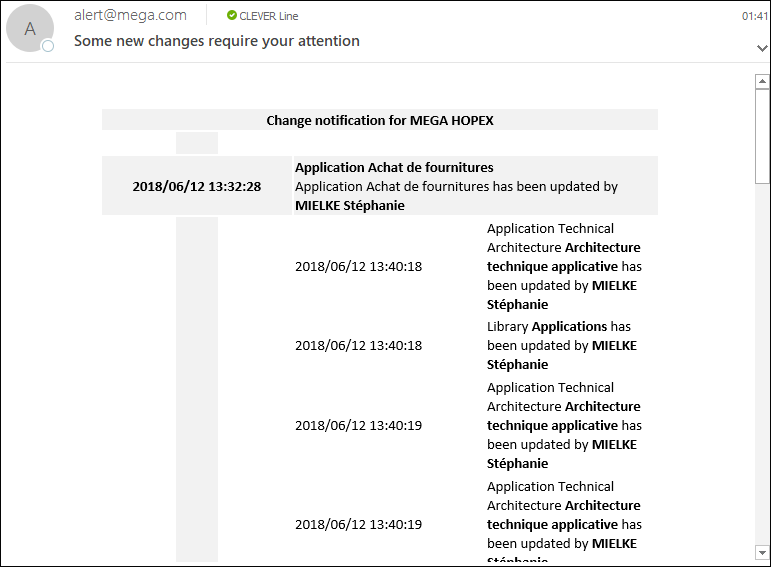
When a user dispatches modifications on an object you are following, you receive an email according to your receipt configuration.
For example, you can receive a daily notification by email.
Canceling Follow-up of an Object
You can stop following:
• an object
• several objects
Canceling follow-up modifications on an object
To stop following the modifications on an object:
1. In your Hopex desktop, access the object you no longer want to follow.
2. Right-click the object and select
Unfollow 
.
You will no longer receive notifications when the object is modified.
Canceling follow-up modifications on several objects
To stop following the modifications on several objects:
1. Access your alert management dialog box.
2. Display My subscriptions page.
3. Select the object(s) you no longer want to follow.
4. Click
Remove .
5. Click OK.
You no longer receive notifications when these objects are modified.