Presentation of standard Deployment Architecture Templates
Deployment architecture templates are provided to simplify the creation of your application deployment architectures.
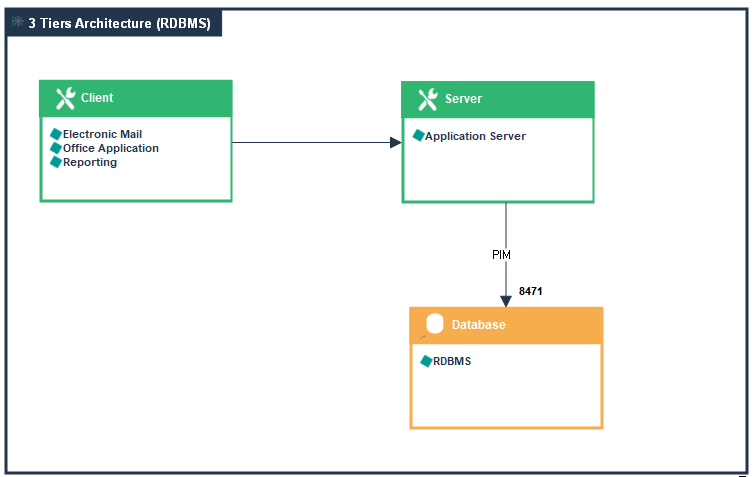
“3 Tiers Architecture (RDBMS)” Application deployment template
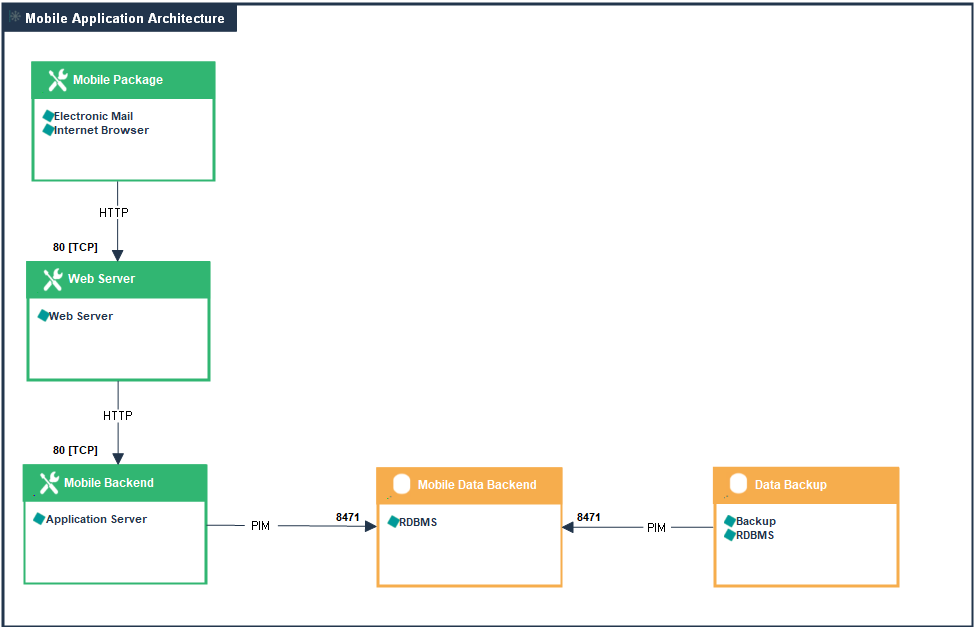
“Mobile Application Architecture” Application deployment template
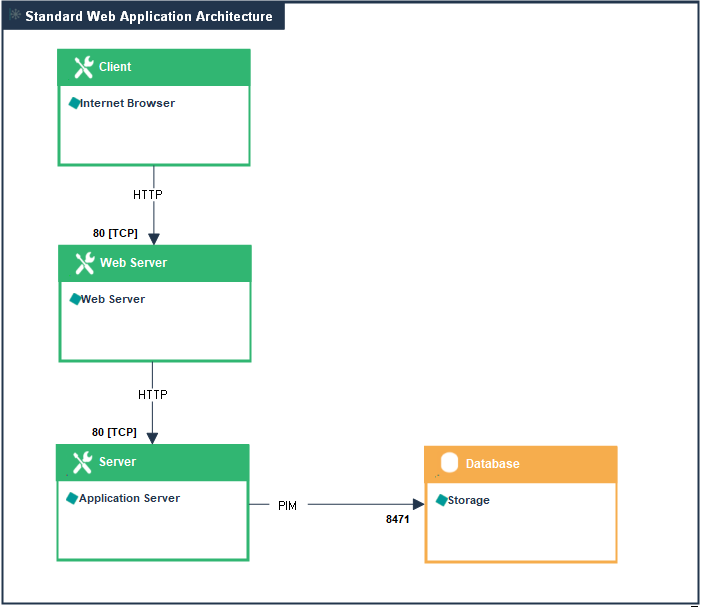
“Standard Web Application Architecture” Application deployment template
Using an Application Deployment Template
To create an application deployment architecture from a deployment architecture template:
1. Open the Deployment Architecture page of the concerned application.
2. Select the Application Deployment Template.
 For more details on application deployment templates, see Deployment Architecture Templates.
3. Click the Next button.
A dialog box displays the list of components of the new architecture.
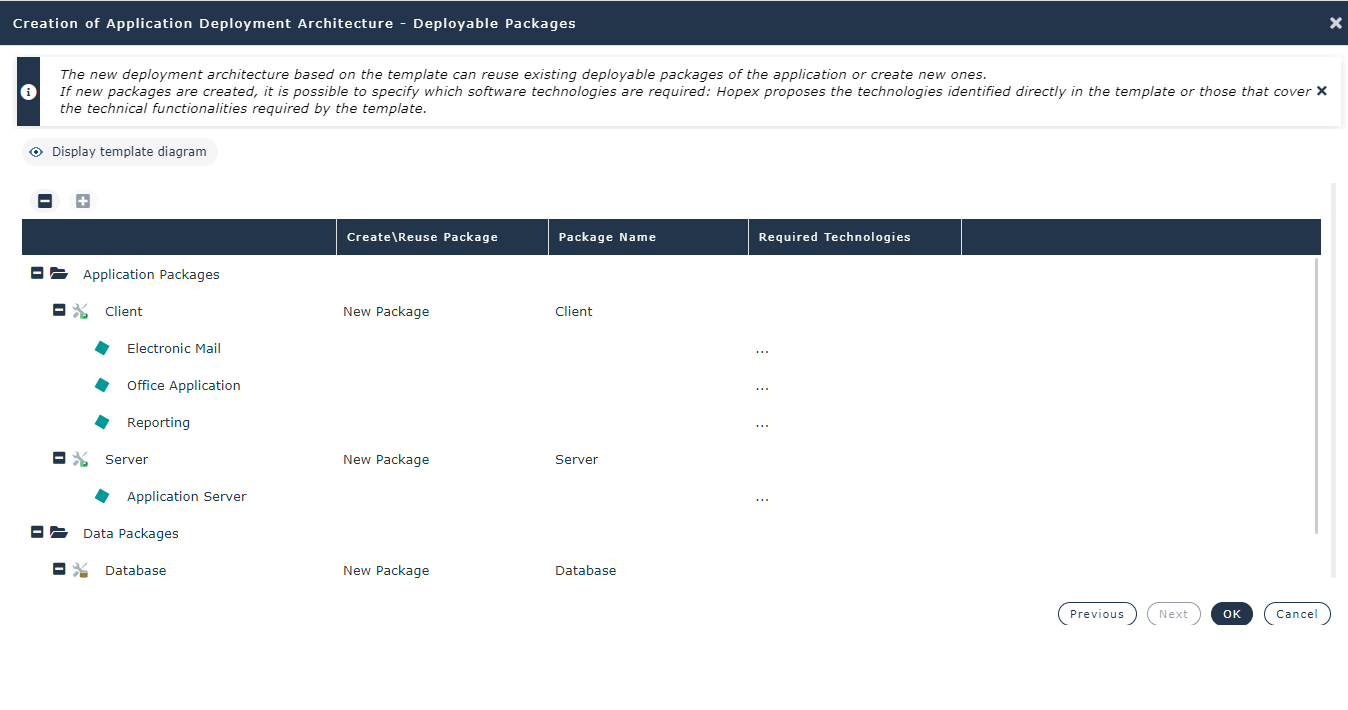
4. (Option) In the Create/Reuse Template column, select the components you want to reuse.
Only components connected to another Application Deployment Architecture of the same application can be reused.5. Click OK.
The diagram opens and Then, you can modify the content of your new application deployment architecture.
For more details about the update of an Application deployment templates, see Using an application deployment architecture diagram.