Use Case Associations: Extensions and Uses
When the system to be described is large, it is useful to have modeling mechanisms that can be adapted to the desired level of detail. Associations between use cases provide this ability.
When a use case includes too many alternatives and exceptions, these are represented separately as relationships that extend the standard use case.
Inclusion relationship
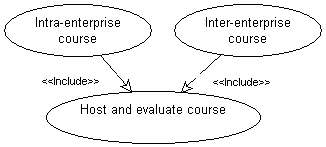
One use case can be called automatically following another, for example validation of an order necessarily includes selection of a means of payment.
To indicate that one use case includes another:
1. In the use case diagram, click the Link button 
2. Click the use case, for example “Process Order" and drag the mouse to the case used, for example “Choose Payment Mode" before releasing the mouse button.
3. Select the link of type “Uses use case” and click OK.
The link appears in the diagram, labeled “Include”.
Examples of inclusion
Extend Relation
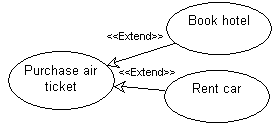
One use case can result in execution of another. Unlike inclusion, which is automatic, extension is optional.
To indicate that one use case is an extension of another:
1. In the use case diagram, click the arrow associated with the Link button and click Extension.
button and click Extension.2. Click the use case, for example "Consult Catalog" and drag the mouse to the extension case, for example "Process Order" before releasing the mouse button.
The Creation of Extension dialog box appears. You can define a constraint or an extension location.
3. Click OK.
The link appears in the diagram, labeled “Extend”.
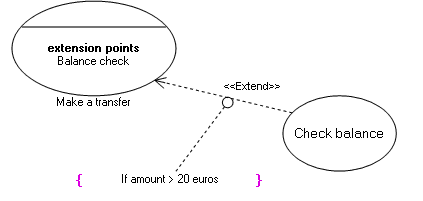
Extension example
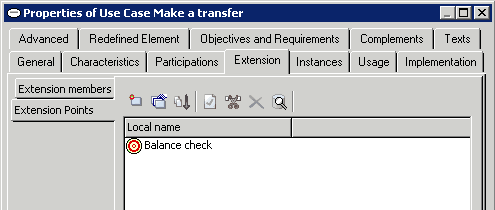

Extension point example