Data Source Infrastructure
Data Store Organization
Hosting
Catalog data sources are deployed data stores, mainly resulting from data discovery using the dedicated Hopex tool or an intermediate tool such as Manta import.
 See Data Discovery.
A data store is held by a data center.
 A data center is a physical site that groups together IT facilities responsible for storing and distributing data through an internal network or via Internet access.
When importing metadata into the Hopex repository, a wizard enables you to define the data center that hosts the metadata and the catalog that will reference the metadata, to facilitate governance.
Within a data center, you can specify the deployed servers from which the imported metadata originates.
When importing a Manta file containing a metadata description, Hopex also creates the deployed servers from which the metadata originates, if they do not exist in the repository.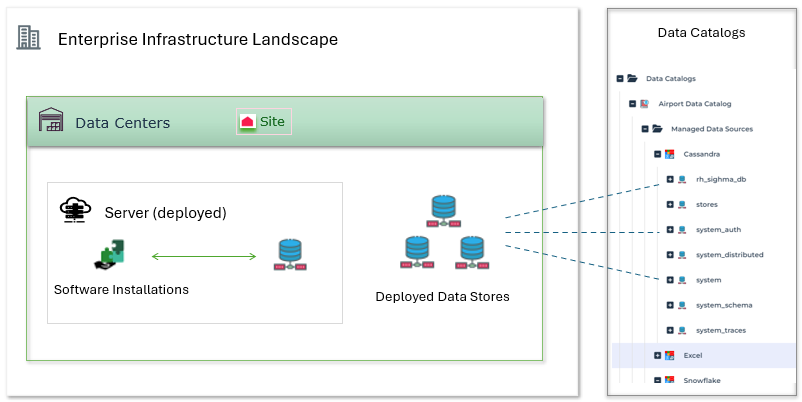
Use
In a data center, you can also specify which software installations use the metadata.
See below how to define the elements of a data center.
Completing a Data Center
You can view data center infrastructure in the Inventories > Landscapes > Infrastructure navigation menu.
A data center can be contained within an enterprise infrastructure landscape and consists of the following elements:
• Deployed data stores
• Servers (deployed)
• Software installations
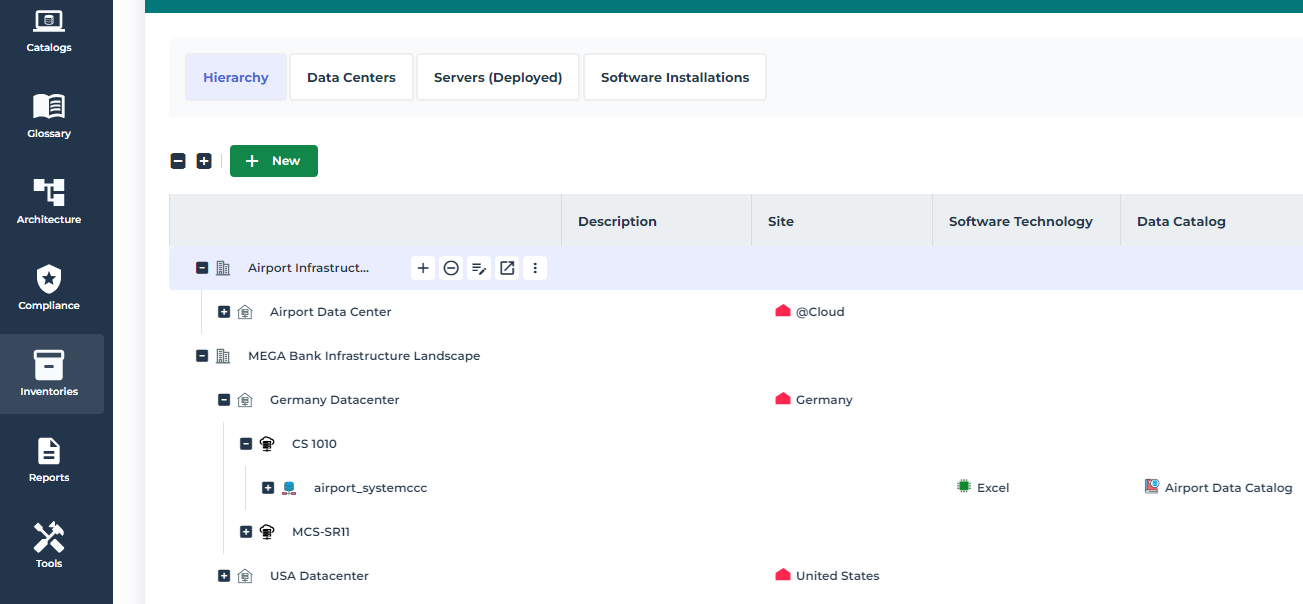
To define the elements of a data center:
1. Click the Data Centers tab.
2. Click the relevant data center.
Properties of the data center appear.
3. Click the tab corresponding to the type of object you want to create.
4. Click New or Connect depending on whether you want to create an object or connect an existing object.