Value streams management
 A value stream is an end-to-end collection of Value Stages that creates an outcome for a customer, who may be the ultimate customer or an internal end-user of the value stream.
Prerequisites to using value streams
One option is used to display the value streams.
To do so:
 To display Value Chains, Value streams modeling must be activated through Main Menu > Settings > Options > HOPEX Solutions > Business Process Analysis.
Accessing Value Streams with HOPEX Business Process Analysis
To access the list of Value chains:
Expand the Value Streams folder from the navigation menu Process > Hierarchy.Creating a value stream
To create a Value Stream from the navigation bar:
1. Select the Processes navigation menu.
2. Select the Hierarchy tab.
3. Click New > Value stream  .
.
. The value stream creation window appears.
4. Enter the Local name of the Value stream.
5. Click OK.
The value chain is created and added to the list of value streams.
Creating a value stream diagram


The value stream diagram
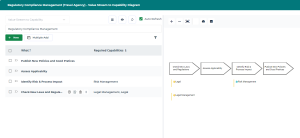
The value stream to capability diagram
Representing the value stream fulfillment with HOPEX Business Process Analysis
You can represent the fulfillment of a value stream by a process.
To access the list of Value Streams from Processes navigation menu:
1. Select Hierarchy.
2. Expand the Processes folder.
3. Open the Characteristics property page of the process.
4. In the Fulfillments section, click the New button.
A creation window opens.
5. Select Value Stream Fulfillment and click Next.
6. Connect an existing value chain or create a new one.