Risk Environment
To define the objects that can make up the risk environment:
 In the Hopex GRC desktop, navigate to Environment > Risks.
You can define:
• Risk Factors

• Risk Consequences
Note: Risk types must me defined through Risks > By Risk Type.
Describing Risk Factors
Many risk factors are defined by international, national, or industry regulations, or by the organization itself.
Examples of risk factors: hazardous chemicals, competitors, project size, number of stakeholders involved, technical novelty, lack of quality assurance, and insufficient rigor in requirements definition.
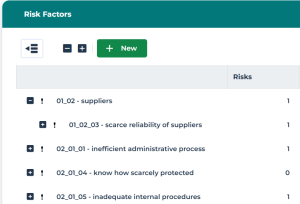
In the properties of a risk factor, you can:
• specify a Parent Risk Factor
 Do not select the risk factor you are currently describing.
• create or connect Sub-Risk Factors
• create or connect Risk types (Analysis section)
• view connected Risks (Risks page)
A single risk factor may result in multiple risks. To specify risk factors on a given risk, see Analyzing Risks.Describing Risk Consequences
Examples of risk consequences: operational disruption, revenue loss, regulatory sanctions, and project delays.
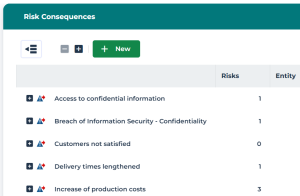
In the properties of a risk consequence, you can:
• specify a Parent Risk Consequence
Do not select the risk consequence you are currently describing.• create or connect Sub-Risk Consequences
• create or connect Risk types (Analysis section).
• view connected Risks (Risks page)
To specify risk consequences on a given risk, see Analyzing Risks.Risk Types
A risk type enables risk characterization. For example, a risk type can be regulatory, legal, technical, etc.
To create your own risk types:
1. In the navigation bar, click Risks > By Risk Type.
2. Click New.
Similarly, you can create a sub-risk type from a risk type.A report enables you to analyze the impacts of a risk type. See Risk Type Impact Breakdown.