Reports Embedded in a Portfolio
The different report templates proposed as standard by Hopex IT Portfolio Management are designed to compare applications of a portfolio based on specific criteria. Different report types offer different analysis possibilities.
These reports are based on information provided by the application owners. They do not require any configuration and are available to application portfolio managers.
To access existing reports on an application portfolio:
1. Open the properties of the portfolio.
2. Click the drop-down list then Reporting.
 For detailed information on reports, see Generating Reports.
Costs Report
The report presents the cost analysis of the portfolio applications, by type (manpower, infrastructure, etc.) and by year. It offers different views:
• A graphical view of the cost breakdown
• A table of costs by nature
• A table of costs by application
For further information on application costs, see Managing Application and Application System Costs.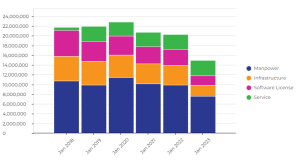
Gantt Chart
The Gantt chart represents the lifelines of applications making up the portfolio.
The preparation, production and retirement phases are described for each application.
For more information on application life cycle, see Defining Application Life.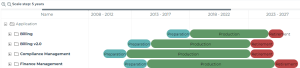
You can customize the report scale to 1, 2 or 5 years.
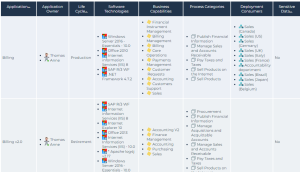
Application inventory and dependencies
This report presents the functional characteristics of the portfolio's applications in matrix form (life cycle, associated technologies, business capabilities covered, etc.).
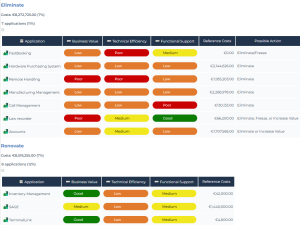
Application Positioning
This report shows distribution of applications related to the business addressed, functionalities covered and technologies used. This presentation enables rapid identification of applications to be developed.
The report is based on the Business Value, Functional Support and Technical efficiency from the latest application evaluation.
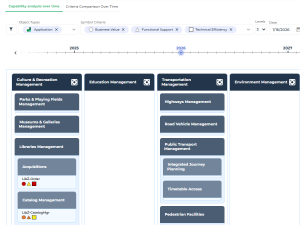
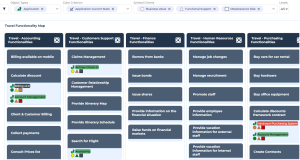
Breakdown of a functionality map
The objective of this report is to display the components of a functionality map and analyze their coverage in the application portfolio of interest.
An option enables to go deeper in the analysis of the applications in the sub-portfolios of the portfolio of interest.
Data handled by portfolio applications
This report presents the data used by the portfolio's applications in the form of a word cloud.
See also: Defining the Data Used by an Application.Data Category of a Portfolio Dendrogram
This report displays in the form of a dendrogram the data used by the applications in the portfolio, according to their category.
See also: Defining Data Categories.Other Reports
Other reports, available in the list of report templates supplied as standard, offer an analysis of portfolio content.
To access them:
 Select the Reports navigation menu.
Software technology support alert
This report tracks the obsolescence of technologies associated with the application portfolio.
It uses the technology Support Alert attribute to detect any conflicts between their use in the organization and their official life cycle.
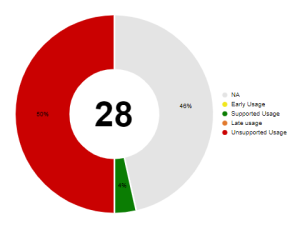
Click on a percentage of the graph to access the list of technologies concerned.
Application decommissioning plan
Business Capability Coverage Over Time