Applications
The Applications navigation menu of the Viewer desktop provides a centralized view of the company's application landscape. It enables you to:
• access the application inventory
• explore how applications are organized into portfolios
• view associated transformation projects
• identify the microservices that make up the information system.
It serves as a key entry point for understanding the application landscape, tracking its evolution, and analyzing the relationships between applications, projects, and software components.
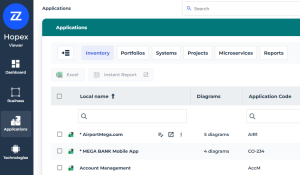
This menu provides access to application cards:
 The card of an object is meant to provide an overview of the properties that identify the object.
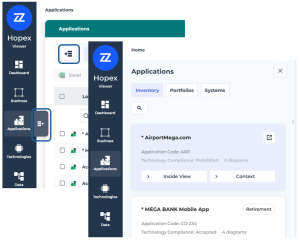
 For more details, see Card of an Object.
Inventory
This page lists the applications, along with a number of descriptive attributes displayed in columns for each application.
An application is a set of software tools coherent from a software development viewpoint.For more details, see:
Portfolios
This page displays the application portfolios in a hierarchical tree structure.
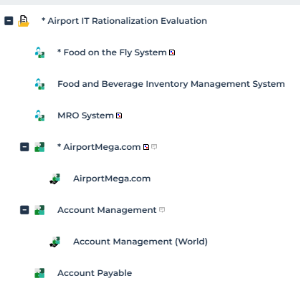 A portfolio enables representation of the investments of an enterprise (or department) necessary to carry out changes required to achieve strategic objectives.
For more details, see:
Systems
This page displays the application systems in a hierarchical tree structure.
An application system is an assembly of other application systems, applications and end users interacting with application components to implement one or several functions.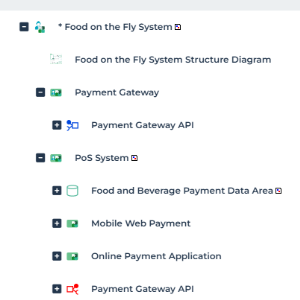
Projects
This page displays the list of transformation projects together with:
• diagrams
• deliverables
A transformation project aims to transition an organization from its current state (As-Is) to a target state (To-Be) in order to achieve strategic, organizational, business, or technological objectives. You can also access projects in the properties of enterprise transformation stages (Business > Strategic Planning navigation menu).For more details, see Project Portfolio Management.
Microservices
This page lists microservices.
A microservice is a software component that can be deployed autonomously, but which does not directly provide an end user service. It can interact with other application services, applications or application systems.For more details, see Describing a Microservice with Hopex IT Architecture in “EA - Enterprise Architecture > Solution Architecture (IT Architecture V2)”.
Reports
This page provides reports to analyze repository applications according to different perspectives.
For more details, see Reports available on Applications.