Additional Repository Access Points (Viewer)
In addition to the EA-themed navigation menus, the Viewer navigation bar offers other ways to access the repository:
• Dashboard
• Reports
• Inventories
• Containers
EA dashboard
A dashboard dedicated to Enterprise Architecture indicators (Applications and Technologies) is available in the EA Viewer desktop.
To access this dashboard:
 Click the Dashboard navigation menu.
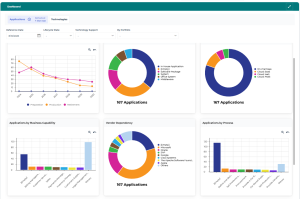
For more details, see EA Dashboard.
Reports
Reports provide dynamic analysis of repository data from different perspectives.
The More > Reports navigation menu enables you to view existing reports. As a Viewer, you cannot create reports.
 Object-specific reports are also available directly from the object's properties.
See also: Consulting Reports.
Inventories
The More > Inventories navigation menu provides access to the various objects in your working environment, organized into several business topics:
• Business architecture
• Capabilities
• Software
• Technologies
• Deployed Assets
• Service Catalogs
• Infrastructure
See the list and description in the part covering the Enterprise Architecture (EA) desktop: Inventories.
Containers
The More > Containers navigation menu lists repository enterprises and libraries.
For more details, see Enterprises and libraries.
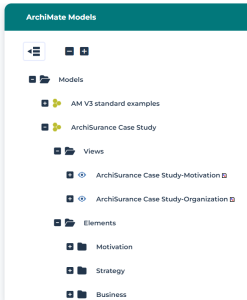
ArchiMate Models
The Models navigation menu provides access to ArchiMate models, provided you have the corresponding module installed.
For more details, see Introduction to Hopex for the ArchiMate® Framework.
You can access:
• Views
• Elements