Managing Workflow Users
To manage the users of workflow instances you must have administration rights for workflows.
 For more details, see Workflow Administration Rights.
In this context, "workflow user" corresponds to the list of users that can trigger a workflow transition.
To manage workflow users:
1. Right-click the on the workflow instance or the subject object of the workflow and select Manage Participants.
The users who can trigger the next workflow transition appear.
If different workflow transitions are possible and different participants were defined for each of them in the workflow definition, HOPEX provides a list of transitions.2. Click on a transition to modify the assigned users.
The users currently assigned appear.
You can remove a user and add another in the list provided for this purpose.
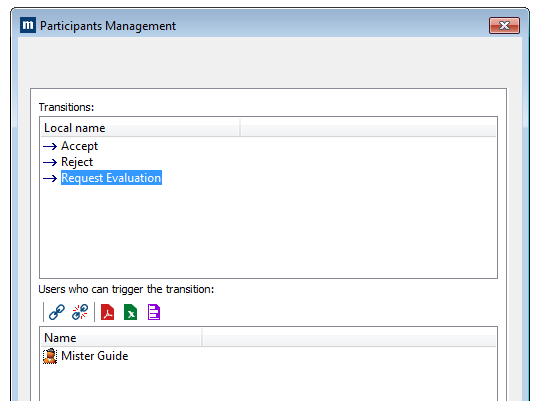
Example of how to use this functionality
Mrs. White was assigned to perform a particular transition (Request Evaluation, for example). If she is on holiday and the workflow must take place in her absence, you can add or remove another user here.
This user can connect to MEGA and perform the transition on behalf of Mrs. White.