Opening the Shapes Editor
To opening the Shapes Editor:
 From HOPEX menu bar, select Tools > Shape Editor.
The Shapes Editor opens.
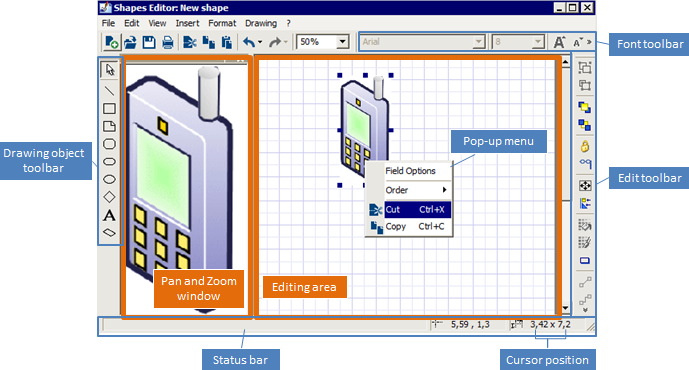
The Shapes Editor includes:
• an editing area, to edit shapes
 To edit shapes, see Editing Shapes.
• a pan and zoom window, which can be docked, fixed, enlarged, or hidden
• toolbars, which can be displayed or hidden
To display/hide a toolbar or status bar, see Shapes Editor toolbars.• a status bar, which displays the horizontal and vertical position of the cursor in the editing area.