Specifying specific behaviors
Using Multiple Add
The Multiple Creation button is used to quickly create several objects, linked together, in the same diagram.
For example, you can simultaneously create a number of operations in an organizational process diagram.
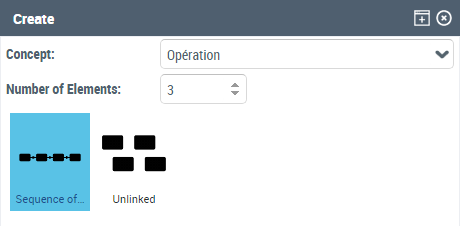
Some MetaWizards are provided. Each one is dedicated to a specific type of diagram.
The table below shows the correspondence between diagram type and MetaWizards.
Parameterization | MetaWizard |
|---|---|
BPMN Process diagrams (Business process diagram, organizational process diagram, value stream diagram, system process diagram) | ~TkV7PZ5DOHC1[TD Multiple new - BPMN]. |
Organizational Chart diagram | ~5(q3D01DO5GV[TD Multiple new - Org Chart] |
Customer Journey diagram | 1- for the Phase creation: ~sk4OPR69On41[TD Multiple new - Phases Creation CJ] 2- for the Step creation: ~ijASx3SBOnU9[TD Multiple new - Step creation CJ] |
Using a floating toolbar
The floating toolbar enables to perform actions from the object row.
For example, you can Add, Multiple Add or Remove an object.
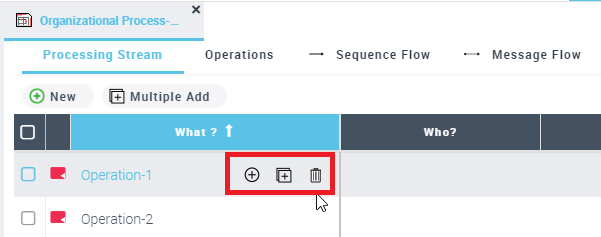
The floating toolbar is available, for example, on vertical and horizontal dektops associated with the tabular entry diagram of an organizational process.
For example, ~XlbPk1AaO90A[Vertical - Tabular Diagram] and ~NGLfkPwBM1JL[Horizontal - Tabular Diagram] desktops.
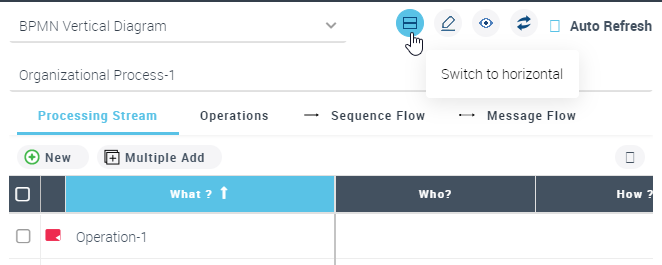
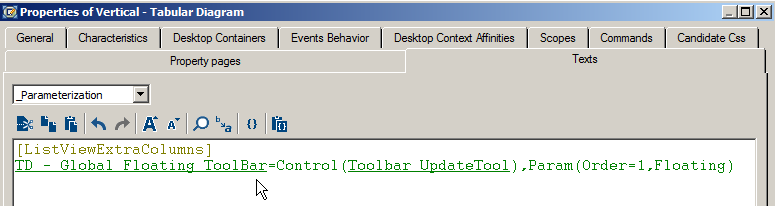
To specify you want to use the floating toolbar in a tabular entry diagram desktop:
1. Access the Desktop object properties.
2. In Texts > _Parameterization, use the [ListviewExtraColumns] and the TD - Global Floating ToolBar generic macro to specify the command below:
To specify that you want to use the floating toolbar in a tabular entry diagram associated with a DiagramType:
1. Use the MetaAttributValue associated with the DiagramType to connect the macro specifying the button behavior of your floating toolbar.
In the example below, the toolbar behavior of an Organizational Chart tabular diagram is described in ~fdZMjcNKOT4G[TD Org-Chart floating bar] macro.
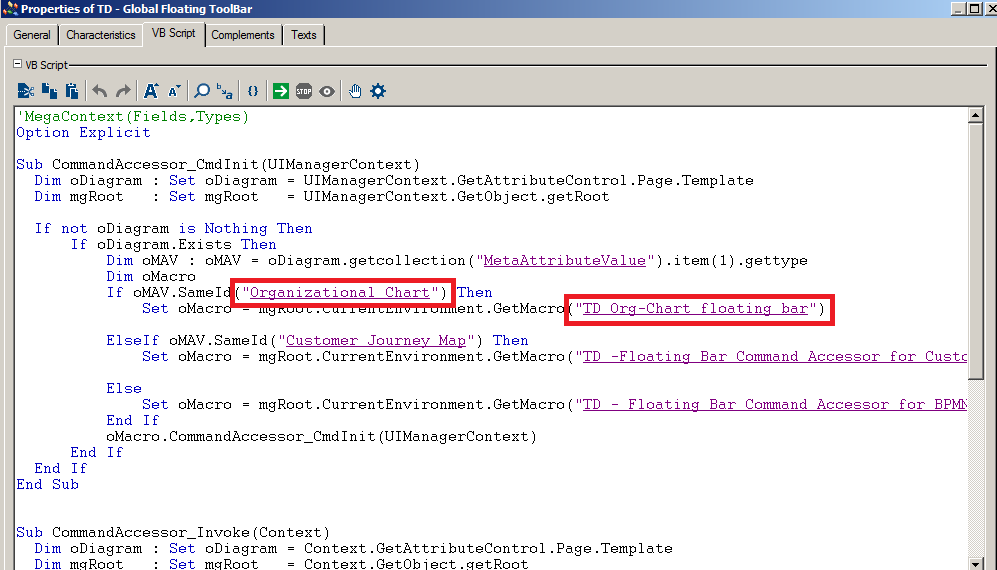
2. Specify the macro to be used in the CommandAccessor_CmdInit subroutine and also in the CommandAccessor_Invoke subroutine.