Presentation of HOPEX for the ArchiMate Framework Report Templates
The report templates provided with HOPEX for the ArchiMate Framework are coming from the reports provided by TOGAF® Standard.
The HOPEX for the ArchiMate Framework report templates are presented below depending on the corresponding TOGAF® artifact
Stakeholder Map Matrix
The purpose of the Stakeholder Map matrix is to identify the stakeholders for the architecture engagement, their influence over the engagement, and their key questions, issues, or concerns that must be addressed by the architecture framework.
• Supported TOGAF® ADM Phase: Phase A - Architecture Vision
• Topic: Motivation
• HOPEX for the ArchiMate Framework report templates:
• ArchiMate - TOGAF® / ArchiMate Stakeholder Map - Stakeholders Influence Matrix
• ArchiMate - TOGAF® / ArchiMate Stakeholder Map - Stakeholders Associated Motivation Element Matrix
Business Service / Function Catalog
The purpose of the Business Service/Function catalog is to provide a functional decomposition in a form that can be filtered, reported on, and queried, as a supplement to graphical Functional Decomposition diagrams.
The Business Service/Function catalog can be used to identify capabilities of an organization and to understand the level that governance is applied to the functions of an organization. This functional decomposition can be used to identify new capabilities required to support business change or may be used to determine the scope of change initiatives, applications, or technology components
• Supported TOGAF® ADM Phase: Phase B: Business Architecture
• Topic: Strategy /Architecture
• HOPEX for the ArchiMate Framework report templates:
• ArchiMate - TOGAF® / Capability x Active Structure Matrix (via Resources)
• ArchiMate - TOGAF® / Capability x Active Structure Matrix (via Services)
Business Service / Information Diagram
During the Business Architecture phase, a Business Service/Information diagram was created showing the key data entities required by the main business services. This is a prerequisite to successful Data Architecture activities.
• Supported TOGAF® ADM Phase: Phase B: Business Architecture
• Topic: Application and Data
• HOPEX for the ArchiMate Framework report template:
• ArchiMate - TOGAF® / Service x Information
Driver / Goal / Objective Catalog
The purpose of the Driver/Goal/Objective catalog is to provide a cross organizational reference of how an organization meets its drivers in practical terms through goals, objectives, and (optionally) measures.
• Supported TOGAF® ADM Phase: Phase B: Business Architecture
• Topic: Application and Data
• HOPEX for the ArchiMate Framework report template:
• ArchiMate - TOGAF® / Stakeholder / Driver / Goal / Requirement Catalog.
Data Entity / Business Function Matrix
During the Business Architecture phase, a Business Service/Information diagram was created showing the key data entities required by the main business services. This is a prerequisite to successful Data Architecture activities.
• Supported TOGAF® ADM Phase: Phase C: Data Architecture
• Topic: Active Structure and Data
• HOPEX for the ArchiMate Framework report template:
• ArchiMate - TOGAF® / Service x Information
Application/Technology Matrix
The Application/Technology matrix documents the mapping of applications to technology platform.
• Supported TOGAF® ADM Phase: Phase D: Technology Architecture
• Topic: Application & infrastructure
• HOPEX for the ArchiMate Framework report template:
• ArchiMate - TOGAF® / Application Components x Technology Nodes Matrix
Requirements Catalog
The Requirements catalog captures things that the enterprise needs to do to meet its objectives. Requirements can also be used as a quality assurance tool to ensure that a particular architecture is fit-for-purpose (i.e., can the architecture meet all identified requirements).
• Supported TOGAF® ADM Phase: Phase E: Opportunities and Solutions
• Topic: Requirements Analysis
• HOPEX for the ArchiMate Framework report template:
• ArchiMate - TOGAF® / Requirements Catalog
ArchiMate Element Graph
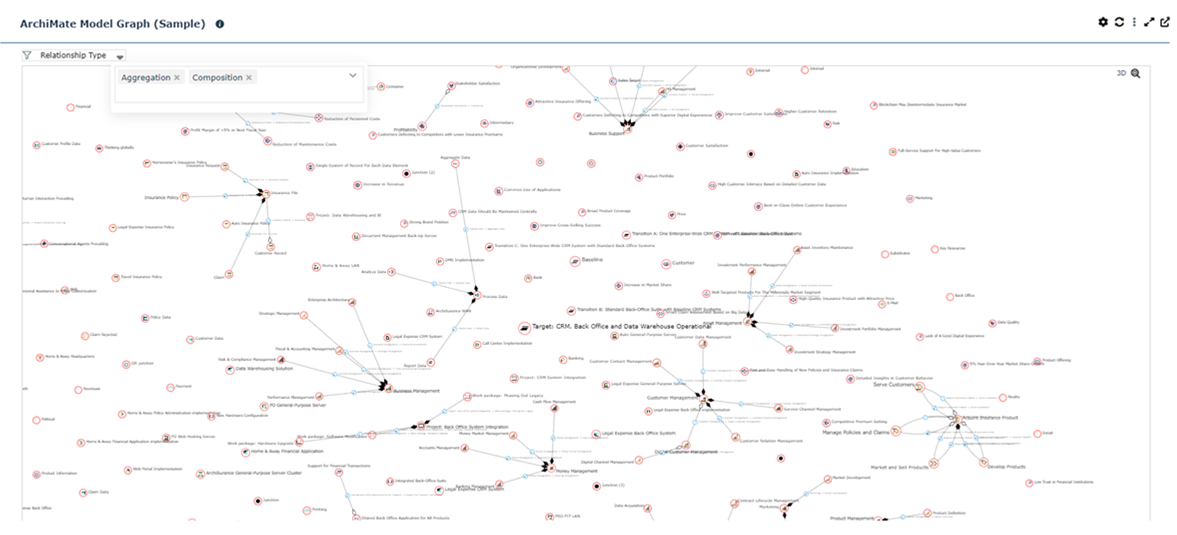
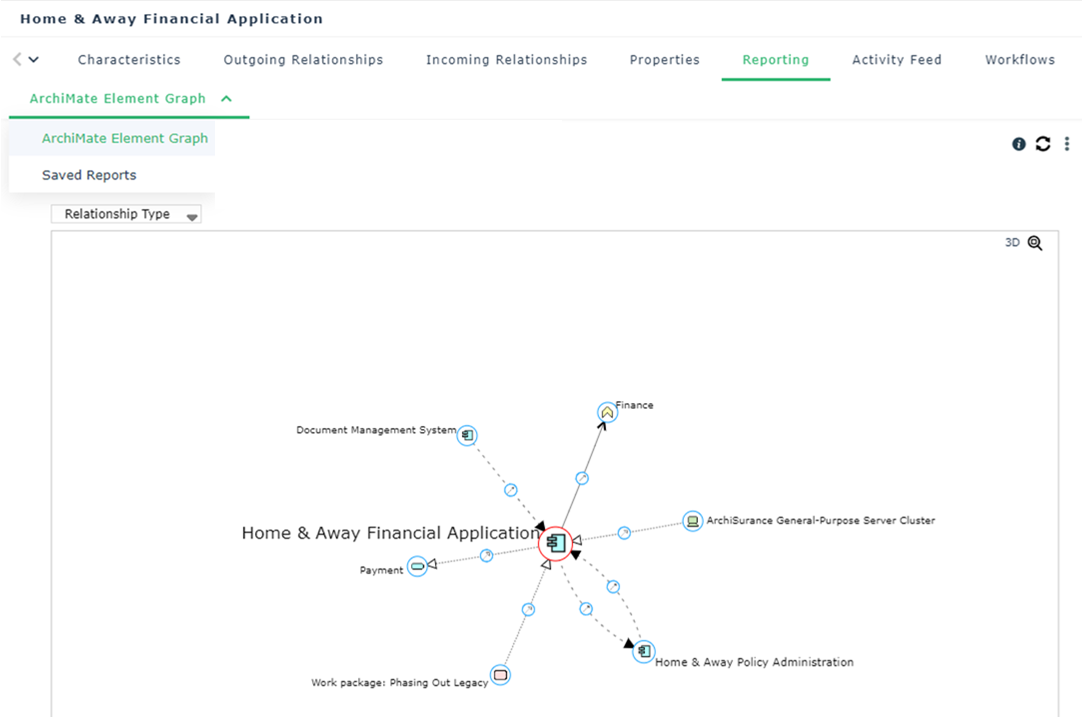
This graph report shows the elements in the model and their relationships.
Two graph report templates are available with HOPEX for the ArchiMate Framework:
• An embedded report can be accessed from the Reporting property page of an element. All in/out relationships of the element can be browsed and filtered by relationships type.
• A user report that can be created using the Reports > Other Reports navigation menu and selecting ArchiMate Model Graph report template.