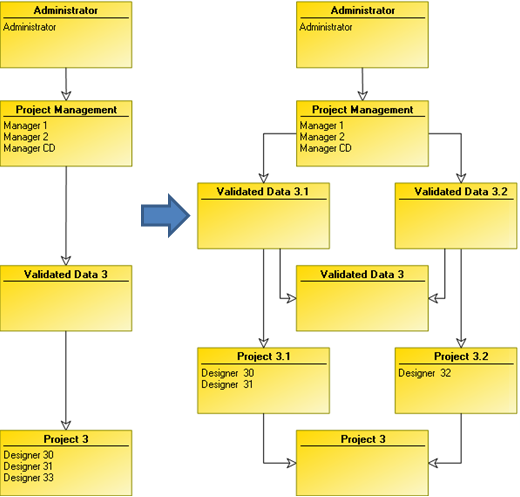
Splitting a Project
To split a project:
1. From HOPEX Administration, open the writing access diagram.
2. Create writing access areas connected to new projects.
These writing access areas must be of must be of higher level than the writing access areas they will replace.
3. Ask users who have a private workspace in progress to close this.
4. Distribute users between these writing access areas.
 Users may resume working.
5. Distribute the objects between the new projects.
 Until this distribution is completed, projects can interfere with each other, since they do not yet have rights to modify objects created before distribution.
6. (Optional) Delete the old writing access areas.
(Optional) When all objects of all repositories have been distributed, you can delete old writing access areas.