Customizing Reading Access Area Display
By default, when you create a reading access area, all users belonging to this area are displayed in the diagram reading access area. You can decide to hide certain users in this reading access area.
To define users displayed in their reading access area:
1. From HOPEX Administration, open the reading access diagram.
2. Right-click the reading access area concerned and select Shapes and Details.
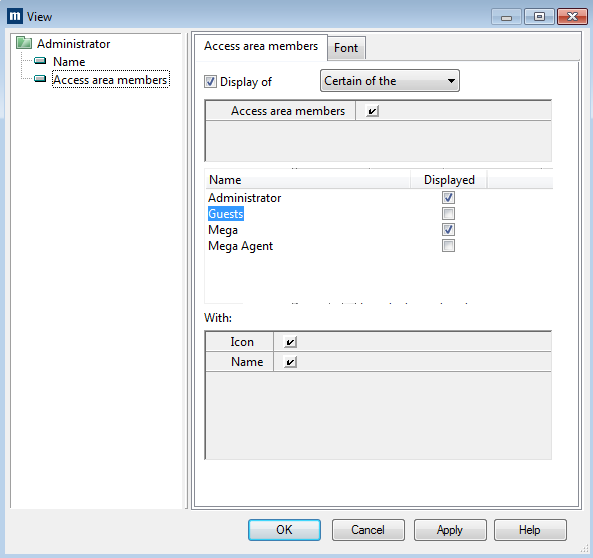
The View dialog box opens.
3. In the tree on the left, select Access Area Members.
4. In the pane on the right, select Access Area Members.
5. Select the Display of option, then in its drop-down menu select Certain of the Access area members.
 To display all or none of the access area members, select All the or None of the.
6. Select the persons you want to see displayed.
7. Click OK.