Creating and Assessing Risks for a DPIA
You have just started to create your DPIA.
 For more information, see Creating a DPIA.
The first step when performing a DPIA consists in creating and assessing risks.
To create risks in a DPIA:
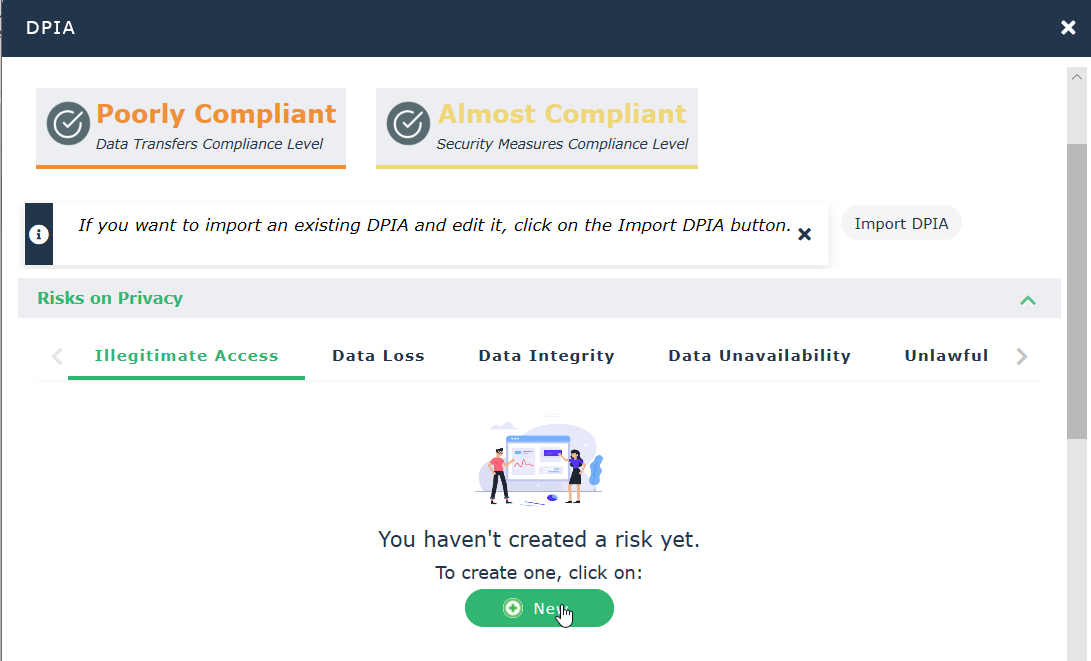
1. In the DPIA Risks on Privacy section, click New to create a risk in one of the tabs corresponding to the different risk types:
• Illegitimate Access
• Data Loss
• Data Integrity
• Data Unavailability
• Unlawful Processing
2. In the first page of the wizard, enter the following:
• Risk Name
• Risk Cause: most common causes that could lead to a risk
• Data Subject Impact: main impact on the data subject if a risk occurs
• Risk Description
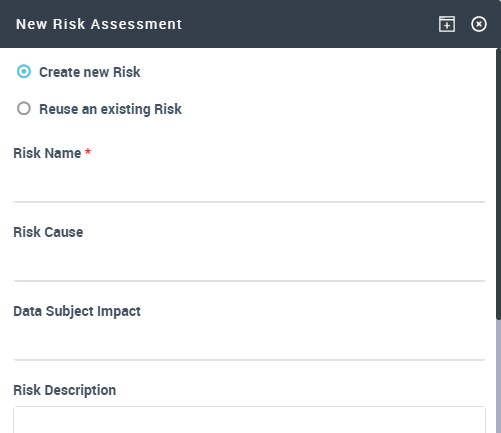 If risks have already been created when performing a DPIA on other processing activities, this page offers you the possibility to Reuse an existing risk.
3. Click Next.
4. In the second page of the wizard, assess the risk:
• Risk Severity: from "negligible" to "maximum"
• Likelihood: from "rare" to "very likely"
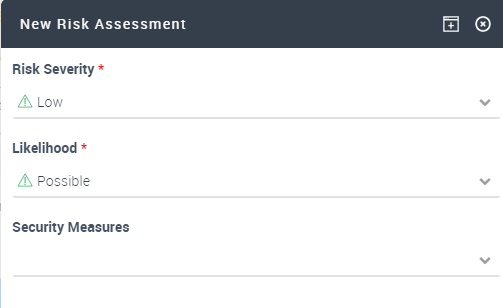
5. (optional) Select a group of Security measures taken to remediate the risk
Security measures are reference data defined by the functional administrator. For more information, see Defining Security Measures.• Technical
• Organizational
• Certification
For more information on groups of security measures, see Specifying security measures on a processing activity.6. Click OK.