Creating Service Definitions
Service definitions can be created:
• directly in the Service Definition folder,
• when creating interactions in a service structure diagram.
To create a service definition from the Service Definition folder:
1. In the NAF navigation tree, click Service-Oriented Views > NSOV-2.
2. Right-click the "All Service Definitions" folder and select New > Service Definition.
3. In the dialog box that appears enter the name of the service definition.
4. Click OK.
The new service definition appears.
The NSOV-2 Report Template
The NSOV-2 Report Template supplies a dictionary chapter that details the services defined to support the different operational activities of the architecture. It is defined with two parameters:
• The Architecture parameter, which specifies the architecture to be analyzed.
• Service Definitions parameter, which is optional. This parameter is set with service definitions (protocols) and is used to reduce the scope of the study. If no value is set for this parameter, all the service definitions are taken into account for the Report.
The NSOV-2 Service Definition Hierarchy Chapter
The Service Definition Hierarchy chapter presents a table with the structure of the service definitions in the architecture. The comments for these service definitions are also displayed.
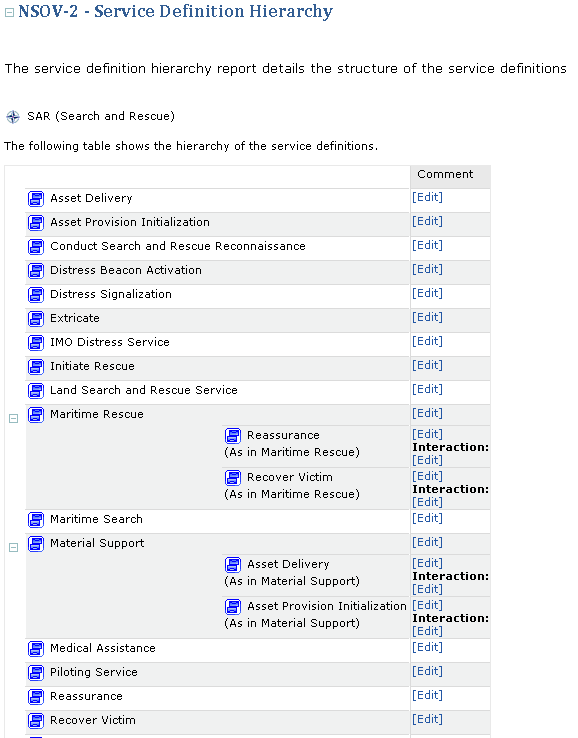
Example of an NSOV-2 Service Definition Hierarchy Chapter
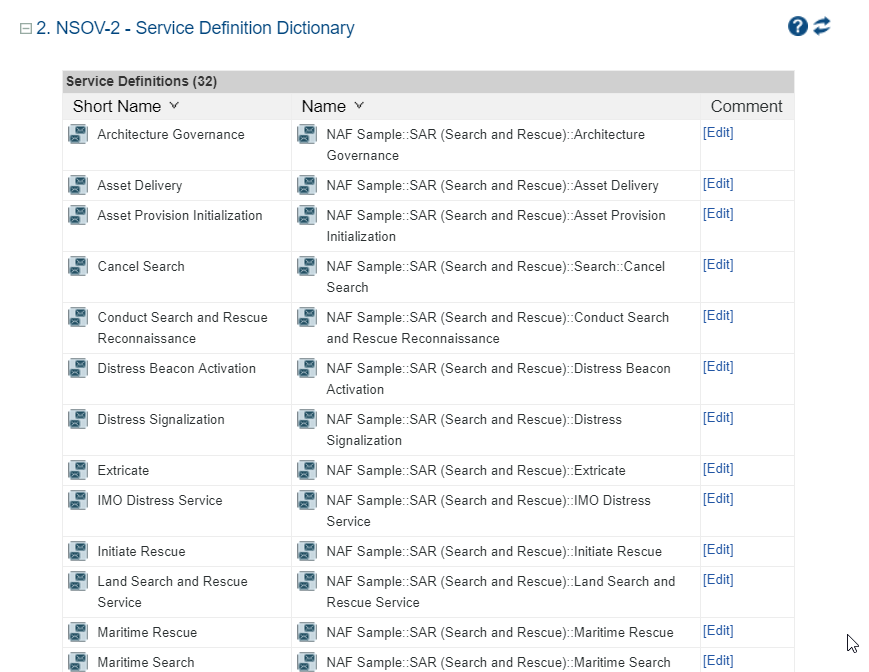
The NSOV-2 Service Definitions Dictionary Chapter
The service definition dictionary report is an alphabetical list of the service definitions defined for the architecture.