15. ID Converter From HexaIdAbs to Absolute identifier
When calling HOPEX REST API you need to provide the absolute identifiers of the environment and the repository. You will find below some explaination on how and where to find this information.
On the server side you can access the:
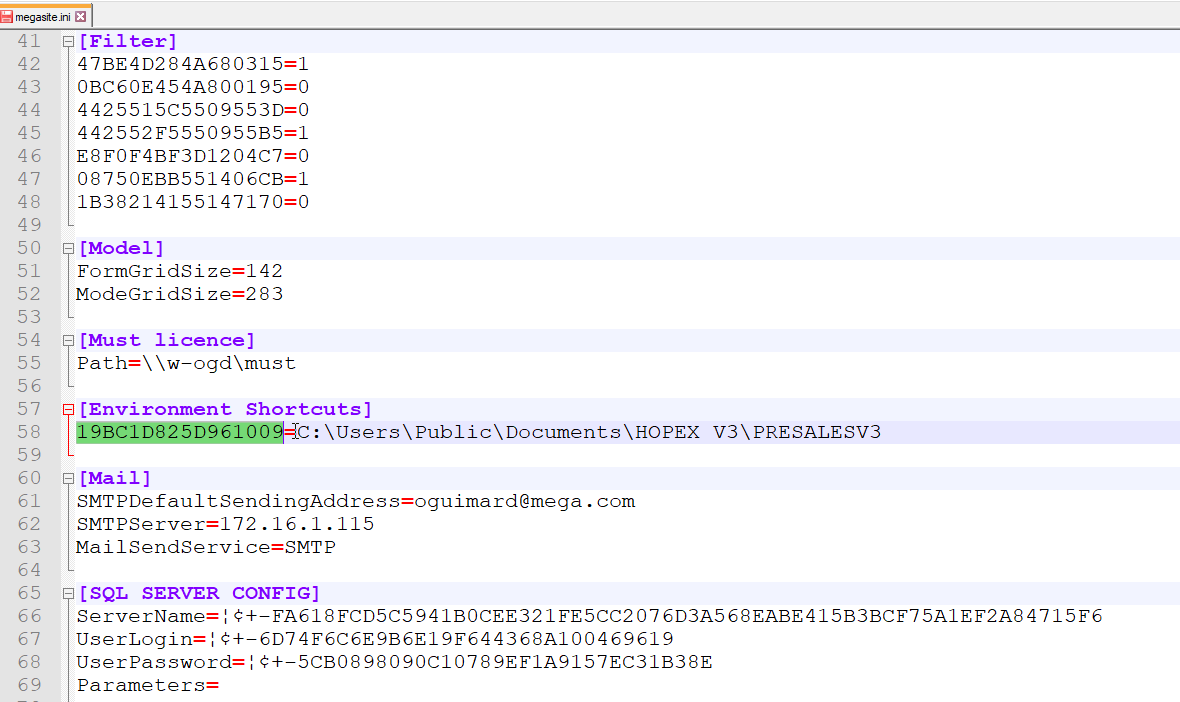
• HexaIdAbs of the environment in the megasite.ini located in the installation folder. Default path is <HOPEX installation>\Cfg
E.g.: C:\ProgramData\MEGA\Hopex Application Server\5000\.shadowFiles\hopex.core\17.0.0+6637\Cfg
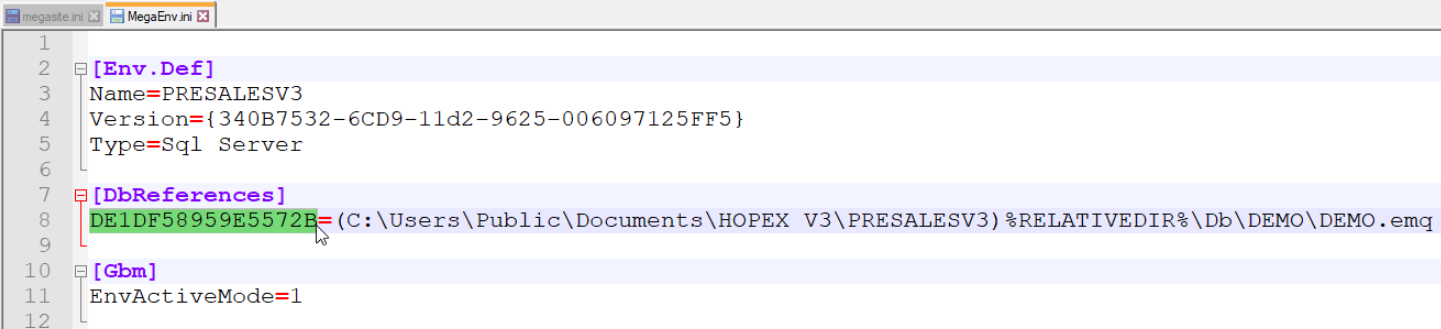
• HexaIdAbs of the repository in the megaenv.ini located in the environment folder.
Default path is C:\...\HOPEX Application Server\<HAS instance name>\Repos\<Environment name>
Default path is C:\...\HOPEX Application Server\<HAS instance name>\Repos\<Environment name>
E.g.: C:\ProgramData\MEGA\Hopex Application Server\5000\Repos\EnvTestsLab
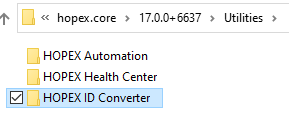
You can find the ID converter in the <HOPEX installation>\Utilities\HOPEX ID Converter folder.
For example:
C:\ProgramData\MEGA\Hopex Application Server\5000\.shadowFiles\hopex.core\17.0.0+6637\Utilities\HOPEX ID Converter
Perfom the following steps:
1. Launch the Hopex ID Converter executable.
2. In the "INI" file copy the HexaIdAbs you want to convert (from the megasite or megaenv).
3. Paste the value in the hexa idabs (16 char).
4. Select the below field cn64 idabs (12 char).
5. Right-click Copy and Paste it wherever you need to use it
More on yuoutube: https://youtu.be/yujkirLXawY