Restricting Access Rights
By default, the Enterprise Portal is accessible to all users.
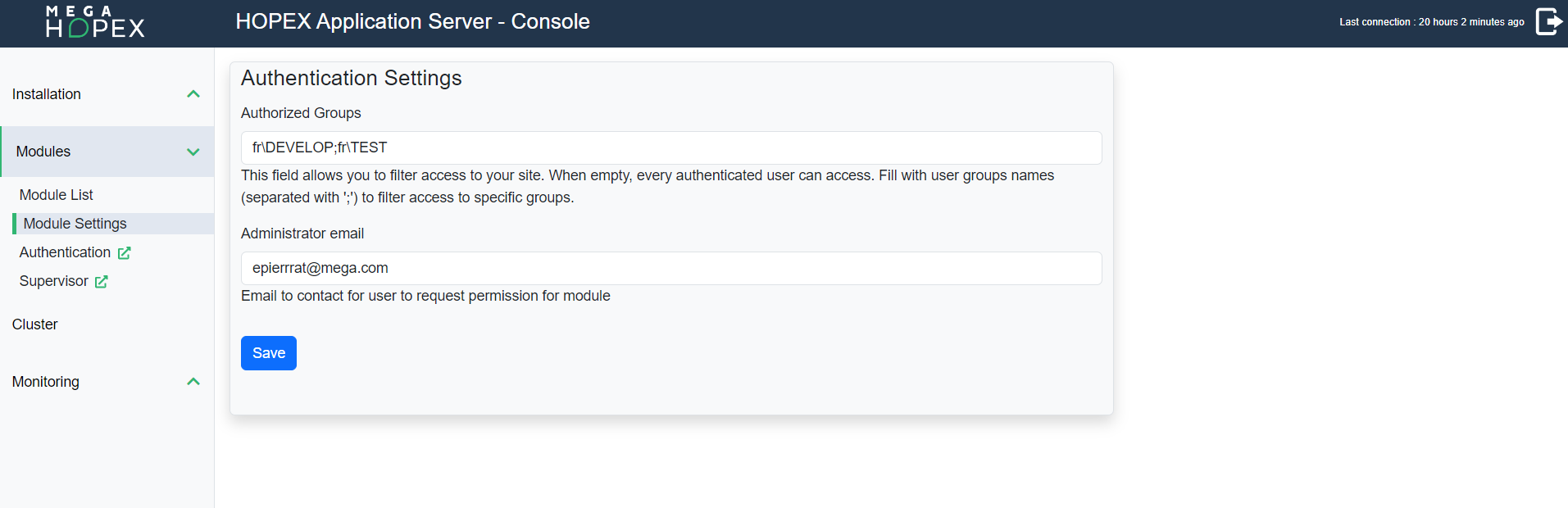
However, access can be restricted to a specific group of users, ensuring that only those within an authorized group can visualize static websites. Unauthorized users will still have the opportunity to contact an administrator to request access.
 This feature is available from the version 16.0.2+4.
To restrict the Enterprise Portal access to a group of users:
1. From the HAS console, click Modules > Module Settings.
2. Select Enterprise portal settings.
Authentication settings are displayed.
3. In the Authorized Groups field, enter the name of the user group(s).
User Groups should be created via a third-party identity provider. 4. In the Administrator email field, enter an email address that unauthorized users can use to request access.