Defining Text Formats
To define a text format:
1. From the descriptor, right-click the text and select Properties.
2. Click Format tab.
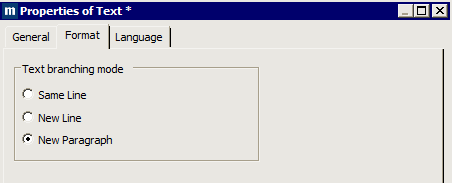
3. Specify how sequentially linked texts should appear (“text branching mode”), select:
• Same Line for the selected text to appear on the same line as the previous text.
• New Line for the selected text to start a new line without insertion of paragraph spacing between the selected text and the previous text.
• New Paragraph (default) for the selected text to start a new paragraph. This option inserts paragraph spacing between the selected text and the previous text.