Modifying the Order of Groups and Texts in Descriptors
To move groups and texts within the descriptor structure:
1. From the Utilities navigation window, right-click the descriptor item you want to reorganize(example: a group) and select Reorganize.
The Modify order dialog box appears.
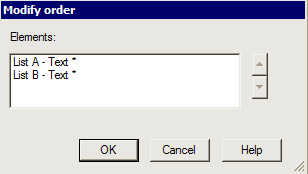
2. Select the element to be moved.
Example: "List B - Text"
3. Use the up and down arrows to move the selected element.
4. Click OK.
The item order is modified.