Modifying the Suggested Objects
You can:
• remove a suggested object from the object inserting toolbar
• add suggested objects
• add suggested objects for usage object
• add candidate objects
These configurations are performed in the DiagramTypeObject properties.
Removing an object suggested in the object inserting toolbar
In a diagram, you can add an object from another object inserting toolbar. As some object types are not often used, or used only once in a diagram, they do not need to be added in the suggested objects of the object inserting toobar.
You can remove a suggested object from the object inserting toolbar.
To remove an object suggested in the object inserting toolbar:
1. Access the DiagramTypeObject properties.
2. In its Texts > _Settings enter:
[General]
HiddenInIntellibar=1
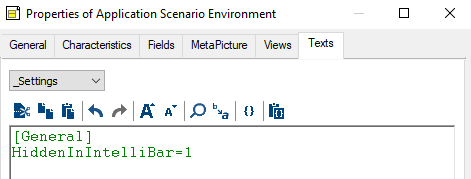
The object is no longer suggested in the object inserting toolbar.
Adding suggested objects
You can suggest the objects to add in a diagram.
As these suggested objects are computed before opening the Add <Object> window, queries must be performant.
To add suggested objects:
1. Access the DiagramTypeObject properties.
2. In its Texts > _Settings enter:
[General]
QuerySuggested=~xxxx[query name]
with the following available parameters:
• Described Object: "&DescribedObject"
• Diagram: "&DiagramObject"
• Object From: "&FromObject"
• Object Target: "&ToObject"
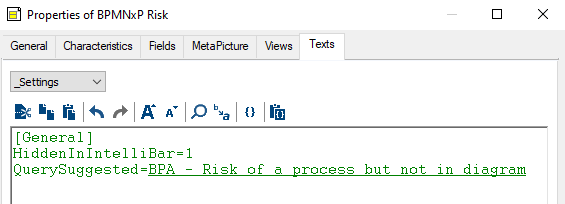
Example for the "BPMNxP Risk" DiagramTypeObject:
[General]
QuerySuggested=~u5)ZVKfGarP0[BPA - Risk of a process but not in diagram]
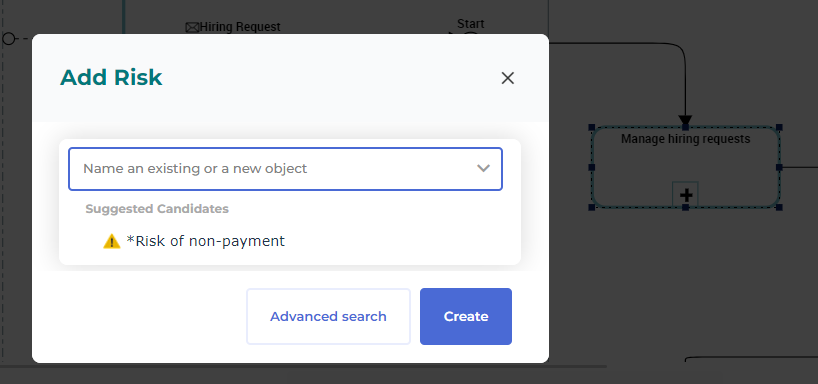
This query suggests to add the risks already linked to the process but not displayed in the diagram.
Here the "Manage hiring requests" process is linked to the "*Risk of non-payment", but this risk is not displayed in the diagram. Thanks to the query it is suggested in the Suggested Candidates of the Add Risk.
Adding suggested objects for usage object
You can suggest the objects to add in a diagram.
These suggested objects are computed before opening the Add <Object> window. Suggested queries must be performant.
To add suggested objects for usage object:
1. Access the DiagramTypeObject properties.
2. In its Texts > _Settings enter for example:
[General]
UsedObjectQuerySuggested=~xxxx[query name]
with the following available parameters:
• Described Object: "&DescribedObject"
• Diagram: "&DiagramObject"
• Object From: "&FromObject"
• Object Target: "&ToObject"
Example for the "BPMNBP Participant" DiagramTypeObject:
[General]
UsedObjectQuerySuggested=~27)Z1ygGaHE2[BPA - children org units of the org unit responsible for the described process]
with the following query code:
Select [Org-Unit] Into @root Where [Assigned Participant].[BPMN Element]:[Process] = &"DescribedObject"
Select [Org-Unit] Where [Aggregation of] Deeply in @root
Adding candidate objects
You can define candidate objects to add in a diagram. This is not as useful as a suggested object.
The query is computed when clicking the drop-down list. Candidate queries must be performant.
To add candidate objects:
1. Access the DiagramTypeObject properties.
2. In its Texts > _Settings enter for example:
[General]
QueryCandidate=~xxxx[query name]
with the following available parameters:
• Described Object: "&DescribedObject"
• Diagram: "&DiagramObject"
• Object From: "&FromObject"
• Object Target: "&ToObject"