Inserting Object Names in Comments
In HOPEX, you can insert object names as a field into a comment. This enables:
• to automatically create links in generated websites
• to automatically update object names in comments
 When you insert an object name, as a field, its name (when modified) is automatically updated in the comment.
To insert an object in a comment:
1. Enter the comment of the object.
2. In the comment pane toolbar, select Insert object in text  .
.
.3. Use the search tool to select the object and click OK.
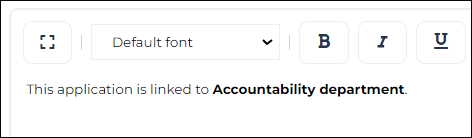
The name of the object is inserted in bold text (as a field).
 To access the inserted object properties. select the object and in the comment pane toolbar select Field Properties
  .
.