Handling Object Property Pages
You can manage the properties of an object inside its property pages. You can also customize the display of these pages.
Show/hide property pages
You have the possibility to show or hide certain property pages within the whole list of pages.
To customize the display of the property pages:
1. Access the object properties.
2. Click Show/Hide  .
.
.3. Select or clear the pages that you want to show or hide.
4. Click Apply to validate your modifications.
 Warning: certain pages are mandatory. They automatically display in the property pages list and can not be hidden.
  When the number of pages to show is important, you can scroll through using the arrows on the edges of the list.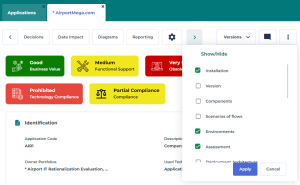
Managing the sections
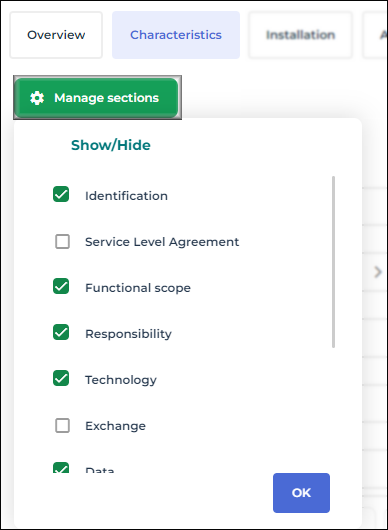
A section accounts for one part of a property page. As well as property pages, the display of sections is customizable.
To customize the display of a property page section:
1. Open the relevant property page.
E.g.: the Characteristics page.
2. Click Manage sections at the top left of the page.
3. Select or clear the section titles that you want to show or hide.
4. Click OK to validate your choice.