Creating a Variation of an Object
Variation creation functions are common to all variable objects.
To create a variation of an object:
1. Right-click the object and select Variation > New Variant.
A variation creation wizard appears.
By default:
• the variant takes the name of the varied object, with extension v2.0.
• Attributes and diagrams are copied.
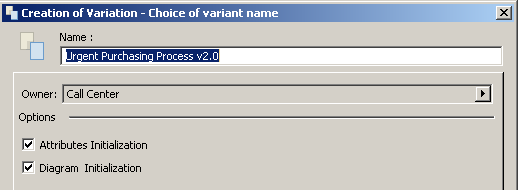
 For diagrams, the described object is not copied (it is a variation of the described object).You can choose to not copy attributes and diagrams. To do this, clear the Attributes Initialization and/or Diagrams Initialization check boxes.
2. Click OK.
The variant object appears in hierarchical views, under the varied object. By expanding the tree, you can see the inherited elements.