Reversing the Angle Position of an Orthogonal Line
To reverse the angle position of an orthogonal line:
 Double-click the handle of the angle of the line: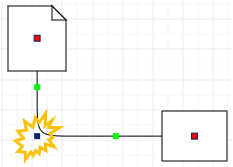
The orthogonal line angle reverses to the opposite side.
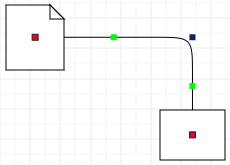 Double-click the handle of the angle of the line: