Centering Attachment Points
When a line is attached to an object, or in the case of links in diagrams, you can center the attachment points.
 For more details on how to attach a line to an object, see Connecting a Line to an Element.
To center attachment points:
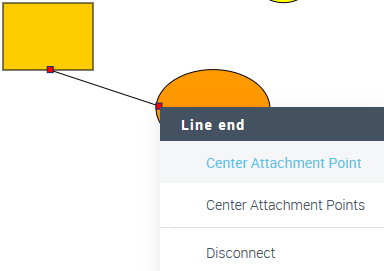
 Right-click an attachment point and select Center Attachment Point.
To center both attachment points simultaneously, select Center Attachment Points.