Use Cases
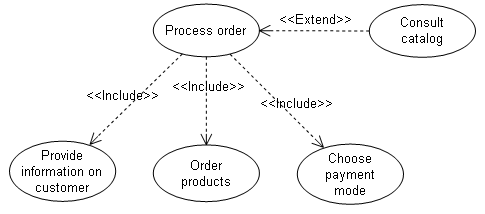
Examples of use cases: processing an order, delivering to a client, opening an account, sending an invoice, establishing credit, purchasing an airline ticket, etc.

To create a use case in a diagram:
1. In the use case diagram objects toolbar, click the Use Case  button.
button.The Add Use Case dialog box opens.
2. Enter the use case Name and click Create.
The use case appears in the diagram.
Zooming in on a use case
To open the diagram that describes a use case directly from the package diagram:
1. Right-click the use case.
2. Select Use Case Diagram.
The use case diagram opens.
 Zooming in on the description of an object is possible for all elements described by a diagram.