Reflexive Associations
Certain associations use the same entity several times.
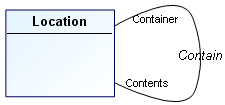
A classroom, a building, and a school are all locations.
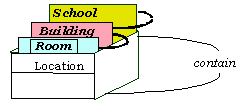
A classroom is contained in a building, which is contained in a school.
A reflexive association concerns the same entity at each end.
To create a reflexive association:
1. In the data diagram objects toolbar, click the Association button. 
2. Select the entity concerned and drag the mouse outside the entity, then return inside it and release the mouse button.
The reflexive association appears in the form of a half-circle in a broken line.
 If there is association of an entity with itself, the roles need to be named in order to distinguish between the corresponding links in the drawing.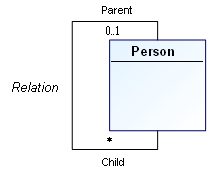
Below, “Parent” and “Child” are the two roles played by the “Person” entity in the association.
 A role enables indication of one of the entities concerned by the association. Indication of roles is particularly important in the case of an association between an entity and itself.
You can segment a line by adding joints to modify its path. You can in particular segment a role to avoid an obstacle for example. You can also change the line to a curve.