Entities
 An entity groups objects that share the same characteristics and have similar behavior. Entities are management elements considered useful for representing enterprise activity, and are therefore reserved for this purpose. They may, for example, have corresponding tables in a database.
An entity is described by a list of attributes.
An entity is linked to other entities via associations. The set of entities and associations forms the core of a data model.
We can illustrate the entity concept by comparing entities to index cards filed in drawers.
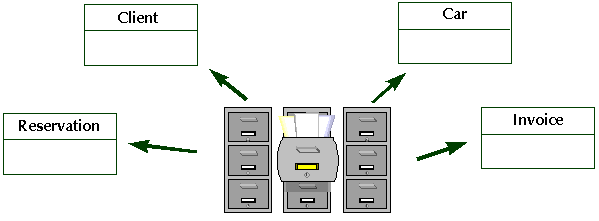
Entities can represent management objects.
Examples: Customer, Order, Product, Person, Company, etc.

Entities can represent technical objects used in industry.
Examples: Alarm, Sensor, Zone
Creating an entity
To create an entity:
1. In the data diagram insert toolbar, click the Entity button 
2. Click in the diagram.
The Add Entity (DM) dialog box opens.
3. Enter the entity Name.
 When the OK or Create buttons are grayed, this is because the requirements for the dialog box in which they appear have not been completed.
4. Click Add.
The entity appears in the diagram.
 You can create several entities successively without having to click the toolbar each time. To do this, double-click the Entity button. To return to normal mode, press <Esc>, or click on another button in the toolbar such as the arrow.