Scenario Comparison Report of a Process
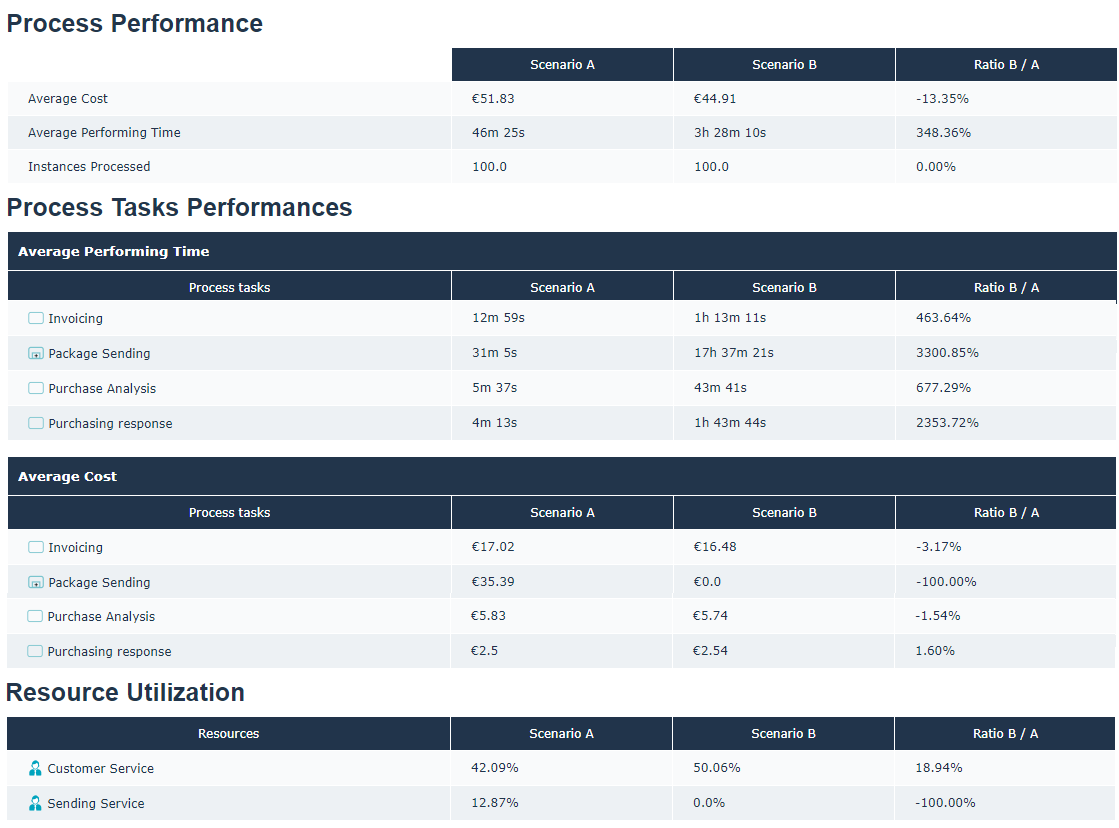
From the Process Report property page, you can view the comparison report of two process simulation scenarios.
 The list of simulation scenarios available on the process is accessible from the Simulation - Simulation Scenarios property page.
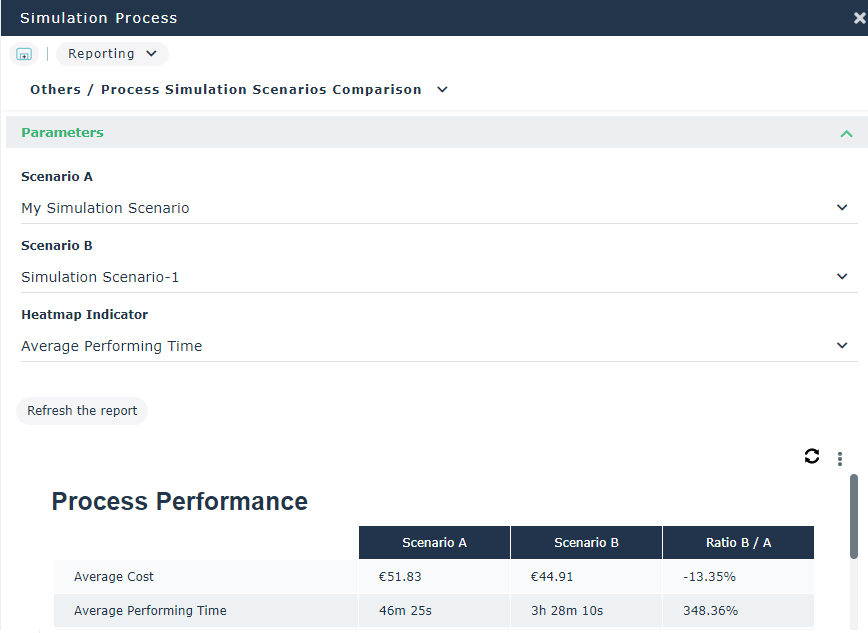
To access the process simulation scenario comparison report:
1. Open the Reporting property page of the process that interests you.
2. Select Others > Process Simulation Scenarios Comparison.
3. In the Parameters select the Scenario A and the Scenario B.
4. In the Heatmap Indicator field, select the indicator that will be used for the presentation of the Indicator Map.
Indicators proposed are:
• the average cost,
• the average performing time,
• the utilization.
5. Click the Refresh the report button.
The graphs below allow a comparison of the performance of the different elements of the simulated process.
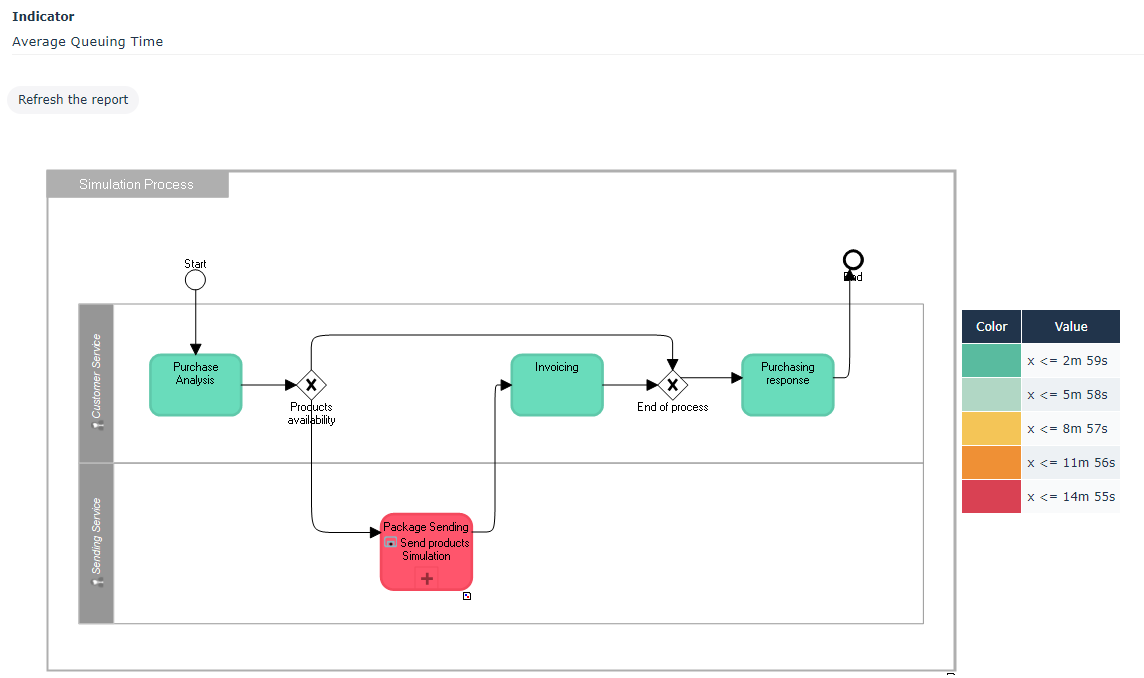 The indicator presented above is resource Utilization.