Answering a Satisfaction Questionnaire
To answer a satisfaction questionnaire:
1. Access the navigation menu Customer Journey > Assessment > Not Assessed tab.
2. Tick the appropriate customer journey.
3. Click the More  button and select the Evaluate menu.
button and select the Evaluate menu.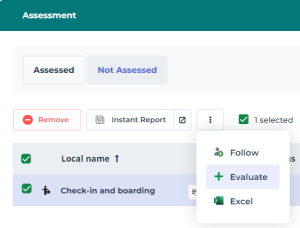
The assessment window appears. The screen shows all the steps in which a communication channel has to be assessed.
4. Select the adequate step and fill the related questionnaire.
5. Click OK, when you are done answering the questionnaire(s) related to a given customer journey.