Viewing the BIA dashboard
To access a BIA dashboard and view its results:
2. In the BIA properties, select the Characteristics page.
The dashboard appears on top of the page.
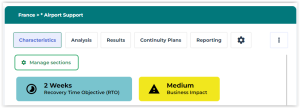
If the GRC Manager has modified the results, those modified results appear. For more details, see Adjusting the RTO and Business Impact.