Generating a Work Program Automatically
HOPEX Internal Audit allows to create the work program structure automatically:
• From risks/controls connected to the objects in the scope of the audit.
• from audit templates (audits which have the “template” status).
 See also Creating "Template" Audits.
Generate the work program from risks or controls
The audit can be based on:
• risks
• controls
• risks and controls (mixed strategy)
To generate the work program:
1. See Accessing your work program.
2. In the Work Program section, click:
• Generate Risk-Based Work Program: an audit activity is generated for each risk.
The risk can be connected to a process category, a process, or an operation. When a risk is connected to an operation, the audit activity created is connected to the operation parent process.• Generate Control-Based Work Program: an audit activity is generated for each control.
The control can be connected to a process category, a process, an operation, or a risk. • Generating a Mixed Work Program
In addition to audit activities, the following objects are created:
• one theme for each audit context object (entity, process category, process).
• one workpaper for each audit activity.
Initializing the work program from a template audit
Initializing the work program from a template audit allows capitalization on work already carried out, saving valuable time.
To create a work program automatically from a template:
1. Click the audit icon and select Work Program > Generate Work Program from Template.
2. In the Parameters frame of the window that appears, select from the drop-down menus:
• an audit plan
• an audit
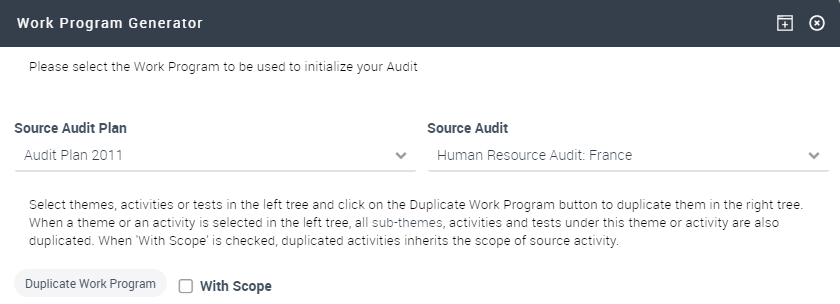
A "template" structure appears in the Source Audit frame.
3. Select the themes, activities or workpapers and click Duplicate to duplicate them in the Target Audit.
4. When the tree has been defined, click OK.