Correspondences Between City Planning Areas
You can create several city plans describing the same information system, but based on different criteria.
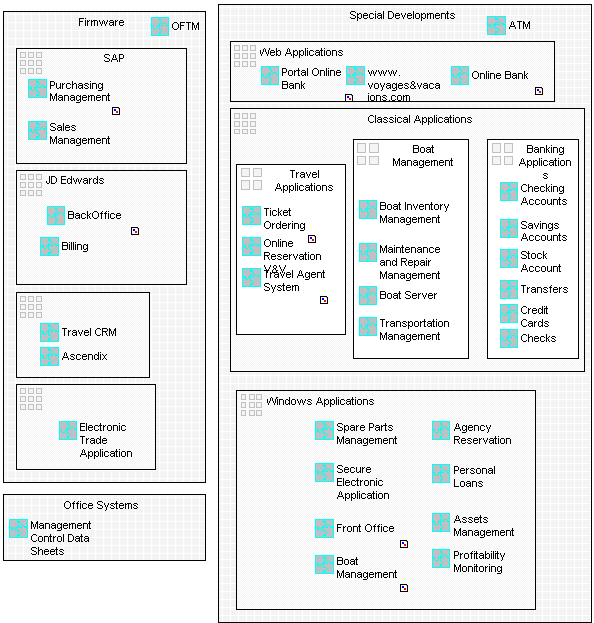
The following diagram shows a breakdown of the enterprise information system based on purely technical criteria:
You can specify the correspondences between the areas defined in different city plans.
To do this:
1. From MEGA menu bar, select View > Views and Details and check that the Correspondences view is selected.
2. In the diagram insert toolbar, click City Planning Correspondence  .
.
.3. Create the correspondence from one area to the other.
4. Indicate its name in the dialog box that appears.
The correspondence then appears in the diagram:

You can connect this correspondence to other areas, districts, or blocks.