Opening an Application Environment Diagram
To open the environment diagram of an application:
1. In the Main Objects navigation window, select the Applications folder.
2. Expand the required application folder.
Example: the "CRM Management" application.
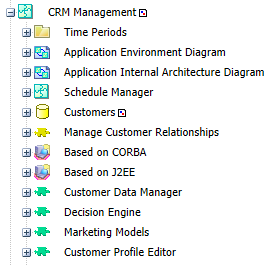
3. Double-click Application Environment Diagram.