Setting Up a Proxy
According to your company security standards, it may be necessary to set up a Proxy.
 The Proxy will only affect the communications to ServiceNow.
To set up a Proxy:
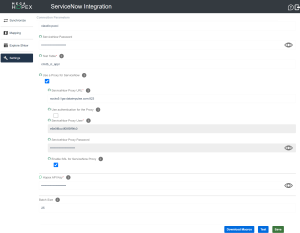
2. Enter a ServiceNow Proxy URL.
• The URL format must be as follows: protocol://url:port where protocol can be: HTTP, SOCKS4, SOCKS4a and SOCKS5.
3. (Optional) Tick the box Use authentication for the Proxy and enter the following information:
• ServiceNow Proxy User
• ServiceNow Proxy Password
According to your specific situation, authentication data for the Proxy can be explicit by filling in the above fields - or implicit in the Proxy URL - or not required at all. 4. (Optional) Tick the box Enable SSL for ServiceNow Proxy.