Mapping Links
You can map links between ServiceNow and HOPEX.
There are two types of links.
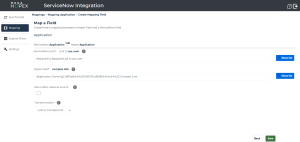
• Simple links (i.e. direct link between two objects) are easy to map in the Map a Field creation page.
 Note that simple links in ServiceNow have the "Reference" type.
 • Complex links (i.e. links using intermediate objects) require further configuration as presented below.
 You must map both the source object and the target object of a link. If not, the link will not be created.
 Mapping complex links
By default, complex links are not available in the list of fields to map.
Therefore, you need to define a complex link in order to be able to map it.
Defining a complex link in HOPEX
To define a complex link in HOPEX:
1. From the Mapping menu, select Define complex links.
2. Click the Add new HX button.
3. Select a Source MetaClass and a Destination MetaClass.
4. Click Search Links.
Complex links between the two MetaClasses appear in a table.
 You can filter the results via the column headers
  .
.5. Click  to select the complex link of your choice.
to select the complex link of your choice.6. Enter a name for this complex link.
7. (Optional) Enter the standard links to hide.
The links from the MetaClasses to the intermediate object will be hidden in the list of HOPEX fields. 8. Click Save.
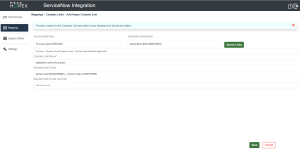
Defining a complex link in ServiceNow
To define a complex link in ServiceNow:
1. From the Mapping menu, select Define complex links.
2. Click the Add new SN button.
3. Select the type of complex link between:
• Relationship link
• Many-to-many link
4. Enter the relevant fields and click Save.
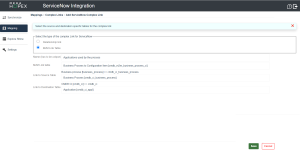
Example of a complex link
Here is an example of a complex link configuration in order to map the Users in ServiceNow with the Application Owners in HOPEX.
Please note the following first:
• In HOPEX, there is an intermediary object between the MetaClasses "Application" and "Person (System)". Hence, you need to define this complex link.
• In ServiceNow, there is no intermediary object between the tables "Application" and "System User". Hence, no further configuration is needed.
• Once the complex link is created, you eventually need to map HOPEX's complex link with ServiceNow's simple link.
Defining the complex link in HOPEX
To define this complex link in HOPEX:
1. From the Mapping menu, select Define complex links.
2. Click the Add new HX button.
3. Select "Application" in the Source MetaClass and "Person (System)" in the Destination MetaClass.
4. Click Search Links.
A list of links appears.
5. Use the filters to display "Person Assignment" in the "Link1" column.
6. Use the filters to display "Assigned Person" in the "Link2" column.
7. Click  to select the complex link.
to select the complex link.8. Enter a name for this complex link.
9. Select "Application Owner" in the Business Role.
10. Click Save.
The complex link has been successfully created. It appears in the list of complex links.
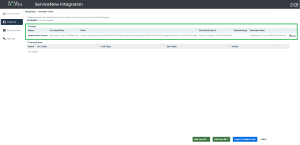
Mapping HOPEX's complex link with ServiceNow's simple link
To map these links:
1. From the Mapping menu, select the mapping you created for Applications.
2. Click Add mapping items.
The Map a Field page appears.
3. Select "Assigned to" in the ServiceNow item.
4. Select the newly created complex link in the Hopex field.
5. Click Save.