Mapping Enumerations
To map fields containing multiple values, you must specify further the correspondence of the values between HOPEX and ServiceNow.
To map enumerations:
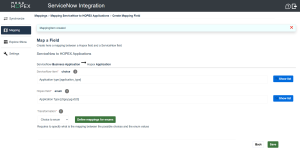
1. Enter the relevant ServiceNow and HOPEX fields.
 Note that enumerations in ServiceNow have the "Choice" type.
2. Click Save.
3. Click Define mappings for enums.
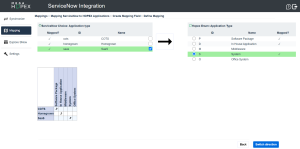
Multiple values of both ServiceNow and HOPEX fields are displayed into separate tables.
4. Select a value in the table on the right first.
5. Select the matching value in the table on the left.
 Click Switch direction if you prefer to reverse tables.
The correspondence of these values is displayed in a matrix (at the bottom part of the sceen).
6. Click Back and Save.