Checking Descriptor Validity
To check validity of a descriptor
1. In the descriptor editor menu, select MEGA > Tools > Check.
2. Select the Modeling Regulation.
3. Click OK.
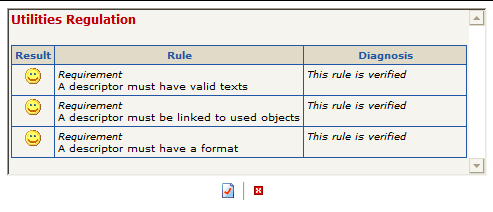
Errors are displayed. The incorrect field is indicated for each text concerned.
 The Check menu is available on descriptors, report templates (MS Word) and reports (MS Word).