Setting Up the Connection
Confluence Administrator must set up the HOPEX for Confluence module.
To set up the connection between HOPEX and Confluence:
1. Click the Cogwheel  button and select Confluence administration.
button and select Confluence administration.
The Confluence administration page opens.
2. In the navigation menu, select Settings > APPS > HOPEX for Confluence.
A specific page opens.
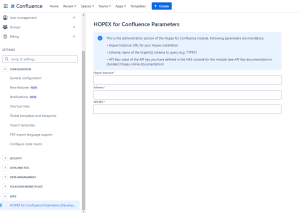
3. Enter your HOPEX Instance provided by MEGA.
4. Enter the name of the GraphQL schema to query (e.g. "ITPM")
5. Enter your API Key

6. Click Save Parameters.