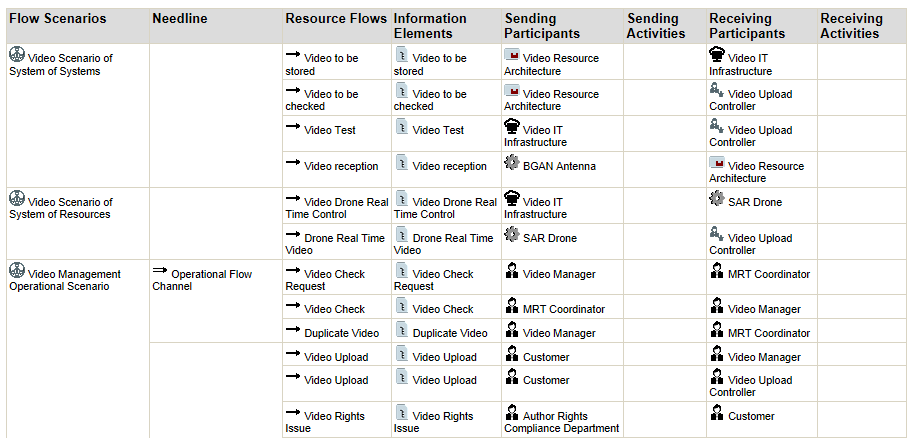
OV-3 Operational Scenario Reports
You can create your own scenario report, and customize it by selecting the scenarios and environment scenarios of interest to you and modifying the default parameters.
To create your scenario report:
1. In the navigation bar, click Operational Viewpoint > OV-3 Operational Resource Flow Matrix > Operational Resource Flow Reports.
2. Click New.
3. In the wizard select the scenarios of interest to you.
 You can also choose to include system scenarios in this report.
 4. Modify the default parameters if needed and click Next.