Reviewing Mappings
Checking mappings
It is advised to run a verification of your mappings before launching a synchronization.
 Synchronization will not work if mappings are not valid.
To do so:
 From the Mapping menu, click Check Mappings.
 The "Result" column indicates how to fix invalid mappings.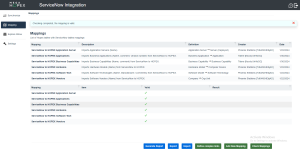
Generating a report
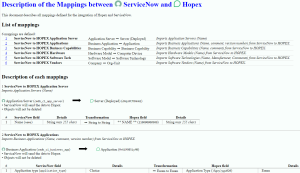
You can generate a report in html format which shows:
• an overview of all the mappings
• a detailed description of each mapping with their related fields and transformation format
To generate a report:
From the Mapping menu, click Generate Report.