Using Traceability Aspect
In several viewpoints, the Traceability aspect provides matrix and reports presenting the dependencies between some objects specific to the viewpoint.
For example, the Project to Transformed capability report presents a matrix of capabilities impacted by specifiic Projects.
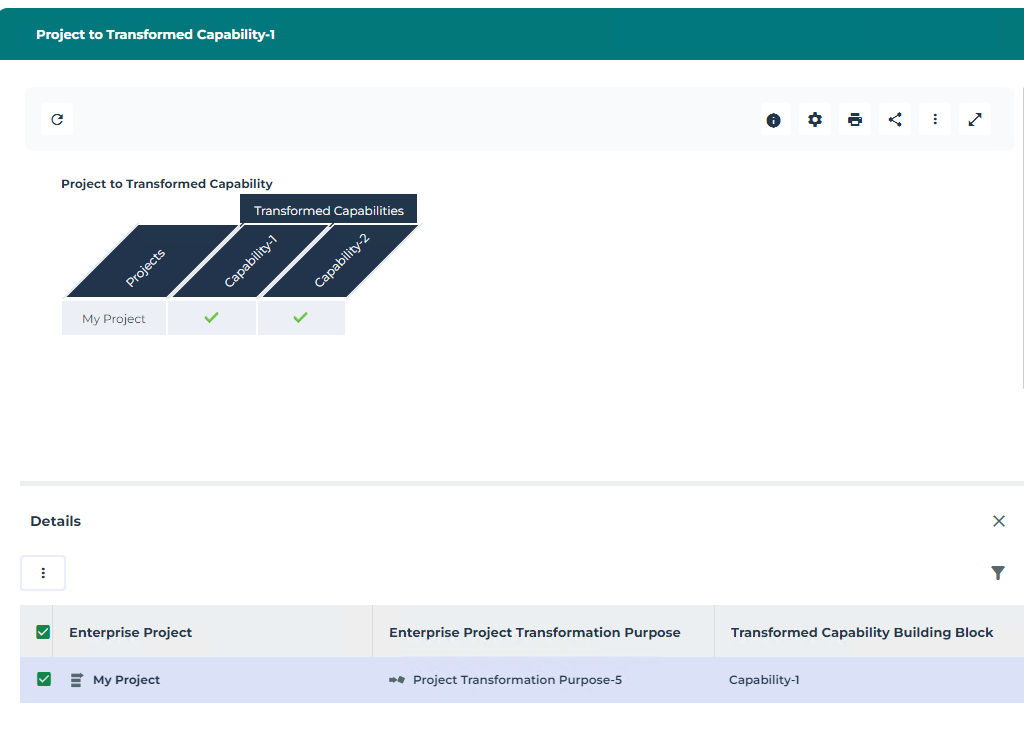 l
lThe Matrixes of the Traceability aspect enable the UAF Architect to specify dependencies between the elements specified in the rows and in the columns.
The Reports of the Traceability aspect provide a report presenting in the columns the elements with dependencies with the elements specified by the UAF Architect as parameters of the report. A type of a report parameters corresponds to the type of elements expected in the matrix rows.
Accessing the Traceability matrixes
Depending on the viewpoint several matrix types may be proposed.
If only one matrix type is proposed, you must select the Matrixes tab to access the existing matrixes.
If several matrix types are proposed, you must select the tab corresponding to the matrix that interests you.
To access the traceability matrixes:
1. From the navigation menu, select the viewpoint that interests you and the Traceability submenu.
2. Click the matrix tab that interests you.
The list of existing matrixes is displayed.
Creating a Traceability matrix
To create a Traceability matrix:
1. From the navigation menu, select the viewpoint that interests you and the Traceability submenu.
2. Click the matrix tab that interests you.
3. Click the New button.
An empty matrix is displayed.
4. Click Add row to select the objects that interest you for the matrix lines.
5. Click Add Column to select the objects that interest you for the matrix columns.
The matrix is displayed and recorded.
In a matrix, dependency between an object in a row and an object in a column is represented by check marks. You can add or remove such a dependendy by clicking in the corresponding box.
Accessing the Traceability reports
Depending on the viewpoint several reports types may be proposed.
If only one report type is proposed, you must select the Reports tab to access the existing reports.
If several report types are proposed, you must select the report that interests you in a drop-down.
Creating a Traceability report
To create a traceability report:
1. From the navigation menu, select the viewpoint that interests you and the Traceability submenu.
2. Click the Reports tab.
3. Select the type of matrix that interests you.
4. Click the New button.
5. Select the objects that will be presented in rows and click OK.
The report is created and displayed. The objects presented in columns have dependencies witj objects presented in rows.