Dispatching Your Work
Dispatching consists in making public the updates carried out in a private workspace.
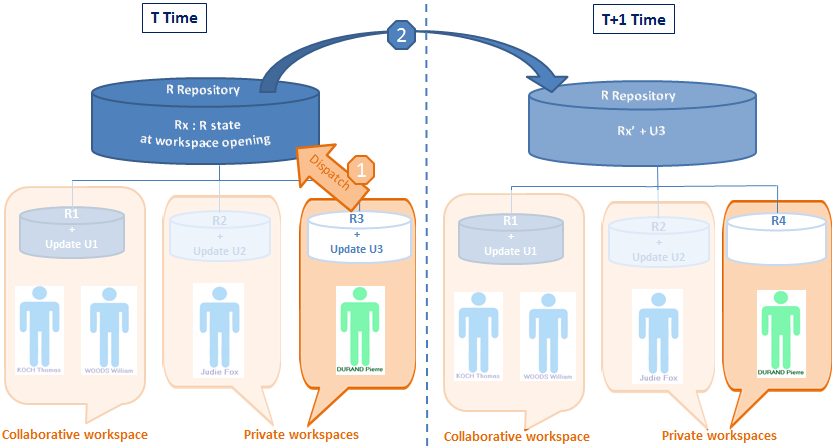
Dispatching allows:
• a user to make available to other users the modifications he/she has made to the repository.
• other users to have these updates available when they open a new workspace, whether this be after dispatch, refresh or discard of their current private workspace.
Dispatch:
• executes an update of the HOPEX repository and the system repository.
• creates a new workspace for the user containing all updates since creation of his/her previous private workspace.
Note that only one user can dispatch at a time. When several users dispatch their work at the same time, a dialog box appears asking the user if he/she wants to queue his/her dispatch. This allows the user to exit HOPEX without having to wait until the works from other queued private workspaces are dispatched.
 See Dispatch Conflicts.
From your Web desktop, to dispatch your work in the repository:
1. In your HOPEX desktop, click Main Menu  .
.
.2. Click Dispatch.
Your modifications are saved in the repository.