Updating an Environment
You must update your environment at each upgrade or when installing a module.
 To install a module and automatically update the environment, see Importing a Module into HOPEX.
The update includes the following actions:
• Environment update
Import of files for version upgrade, bundle upgrade (SP/CU), or additional modules.
 SP: Service Pack, CU: Cumulative Update.
• RDBMS technical alignments
SQL processing: alignment of SQL Tables with the metamodel.
• Metamodel and data conversions
Conversion of data in the System repository and the data repositories.
E.g.: conversion of names, deprecated links, profiles.
• Metamodel and technical data compilation
Compilation of the metamodel and the technical data.
• Permission compilation
Compilation of permissions.
Duration:
The process duration depends on the migration path, the infrastructure, and the data volume. As the process may takes several hours, check that the machine may not be shut down (turn to sleep or hibernate mode).
Indicative durations:
• CU, SP, or product installation: from 10 min to one or two hours
• major version change: more than four hours
To update an environment:
1. Stop the HOPEX Core Back-End module.
Make sure to perform this action when users are not connected.
In the HAS console, Cluster navigation menu, Modules tab: on HOPEX Core Back-End module, click Plus  > Stop.
> Stop.
2. Connect to HOPEX Administration.
3. Right-click the environment and select Environment automatic update.
4. In the Environment Update Center window, read and validate the Warning.
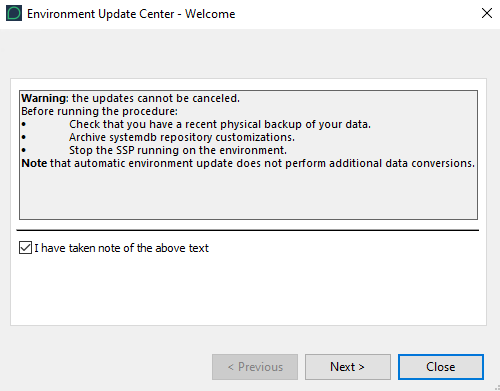
5. Click Next.
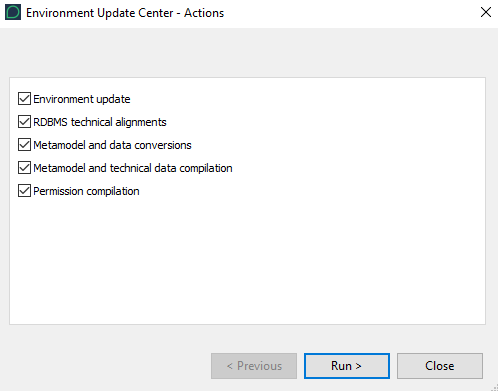
6. Keep all the selections.
If you are not in a Production environment, you can clear Permission compilation.
7. Click Run.
The update reports are displayed in four tabs (the last one cumulates both compilation steps).
8. Read each report, especially if an error was detected (error message displayed).
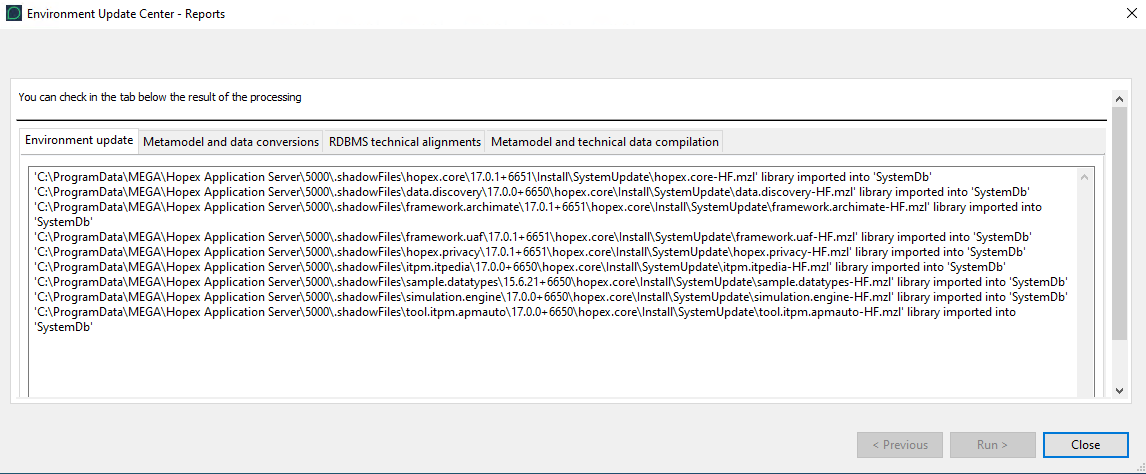
The environment is updated.
9. Click Close.
10. Restart the HOPEX Core Back-End module:
In the HAS console, Cluster navigation menu, Modules tab: on HOPEX Core Back-End module, click Plus > Start.
> Start.Warnings
Some warning examples you might get at environment upgrade:
• "Upgrade Database Version": "Perform SQL conversion on the repository"
When migrating, and at each major version change, you must convert SQL Server table formats.
• "The indexing format changed"
You must reindex your repositories to be able to use the full-text search.
• "Reading/Writing access diagram is not compiled"
You must compile the reading/writing access diagram