Associating user reading access areas with objects
To associate an object with one or several groups of users, proceed as follows:
1. Connect to HOPEX.

2. Select an object.
3. In the object properties dialog box, select the General tab, then the Administration subtab.
4. In the Reading Access Area drop-down list, click the arrow and select Associate User Reading Access Areas.
5. Using the arrows in the selection dialog box, move the user user reading access areas from available to selected, then click Next.
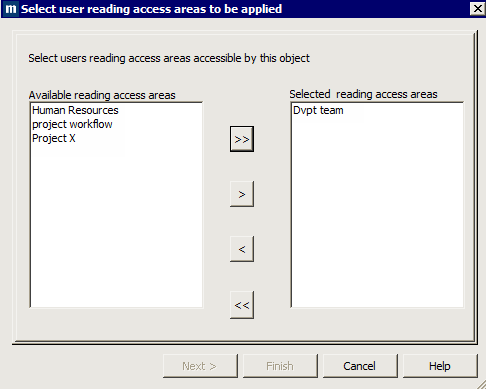
6. In the next dialog box, if an object reading access area corresponds to the user reading access areas, you are invited to validate this area, otherwise you must enter the name of a new user reading access area, which will be created corresponding to the previously selected user reading access areas.
7. Click Finish.
If you had to create a new object reading access area, this is automatically added in the reading access diagram and is connected to the corresponding user reading access area or areas, as well as to the Standard reading access area.